The short version
- A highlight is one moment, not a whole match. Short clips get watched and long ones do not.
- Use Playback to jump straight to your shots, serves, close calls or fastest shots.
- ContactFrame lets you share a clip or a stat card with the numbers on it, in portrait or landscape.
- Match the format to the audience: a stat card for a quick brag, a clip for a coach or hitting partner.
- Ask before you post footage with another player in it, and remember in and out calls are for review, not official.
You hit the best backhand of your life on Saturday and nobody saw it. Or you filmed the whole match, and now you have an hour of video that no friend will ever sit through. People who go looking for a tennis highlights app usually want the same thing: a quick way to pull out the good bit and send it to someone.
This guide covers what makes a highlight worth sharing, how to find it in a filmed session and how sharing works in ContactFrame, where you can send a clip or a stat card with the numbers on it.
What makes a good tennis highlight
Three things, and none of them needs editing skill.
It is short. One point, one rally, one serve. People watch a short clip to the end. They abandon a three-minute one after a few seconds.
It has a reason. “Look at this” is a reason. So is “this is what I mean about my footwork.” A random stretch of rallying is not.
It comes with context. A serve looks like any other serve on a phone screen. The same serve with its speed attached means something. This is where numbers earn their place.
What to look for in a tennis highlights app
Any phone can record a match. The hard part is finding the ten seconds that matter. Scrubbing through a long recording with your thumb is slow enough that most people give up.
So the useful features are about finding and framing:
- Jumping to moments. The app should take you to particular shots, not make you hunt for them.
- Numbers you can attach. Speed, spin and where the ball landed turn a clip into evidence.
- The right shape. Portrait for phone feeds, landscape for bigger screens.
- No extra hardware. If it needs installed cameras or a sensor on the racket, you will not use it at a park court.
Step one: film something worth sharing
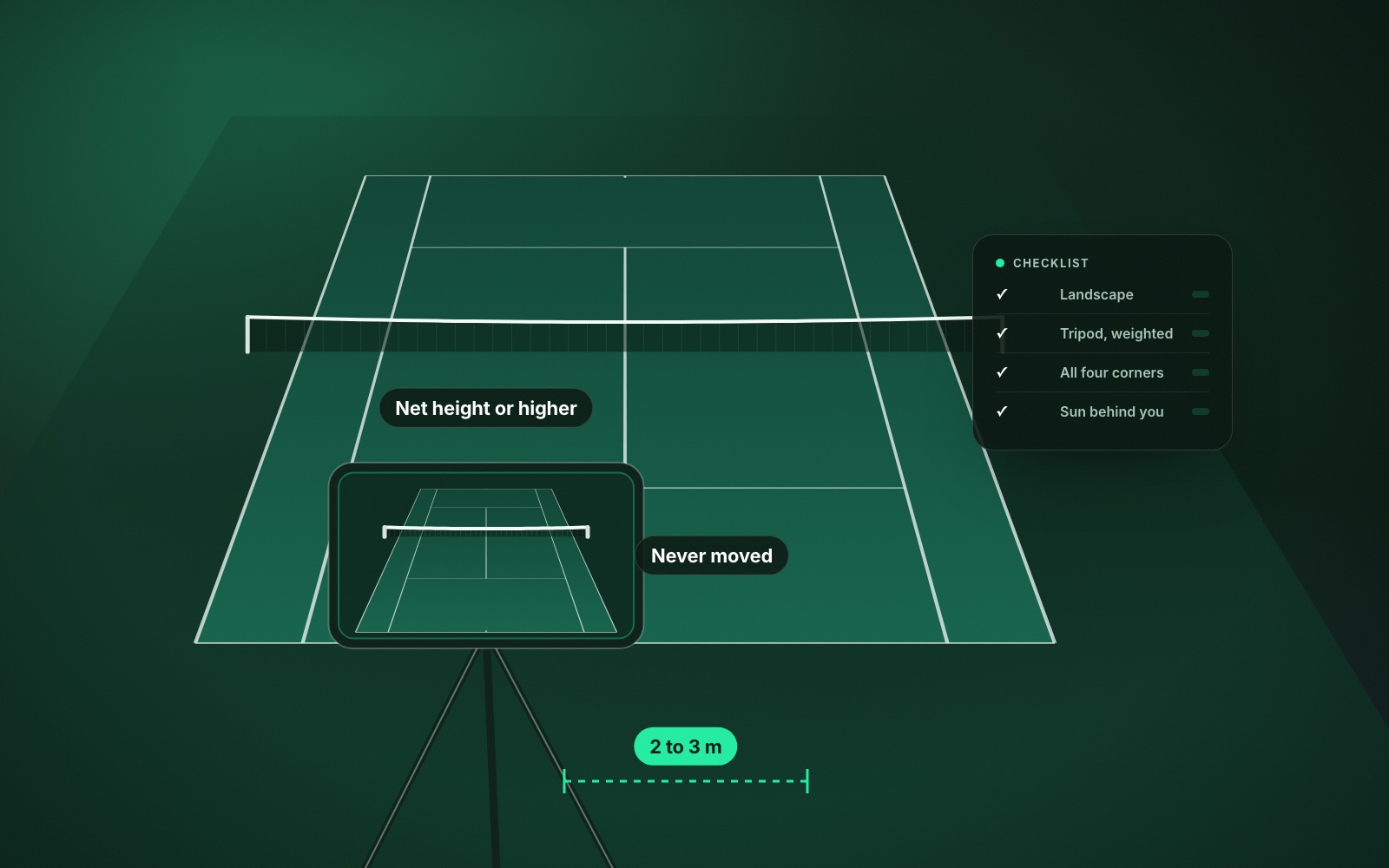
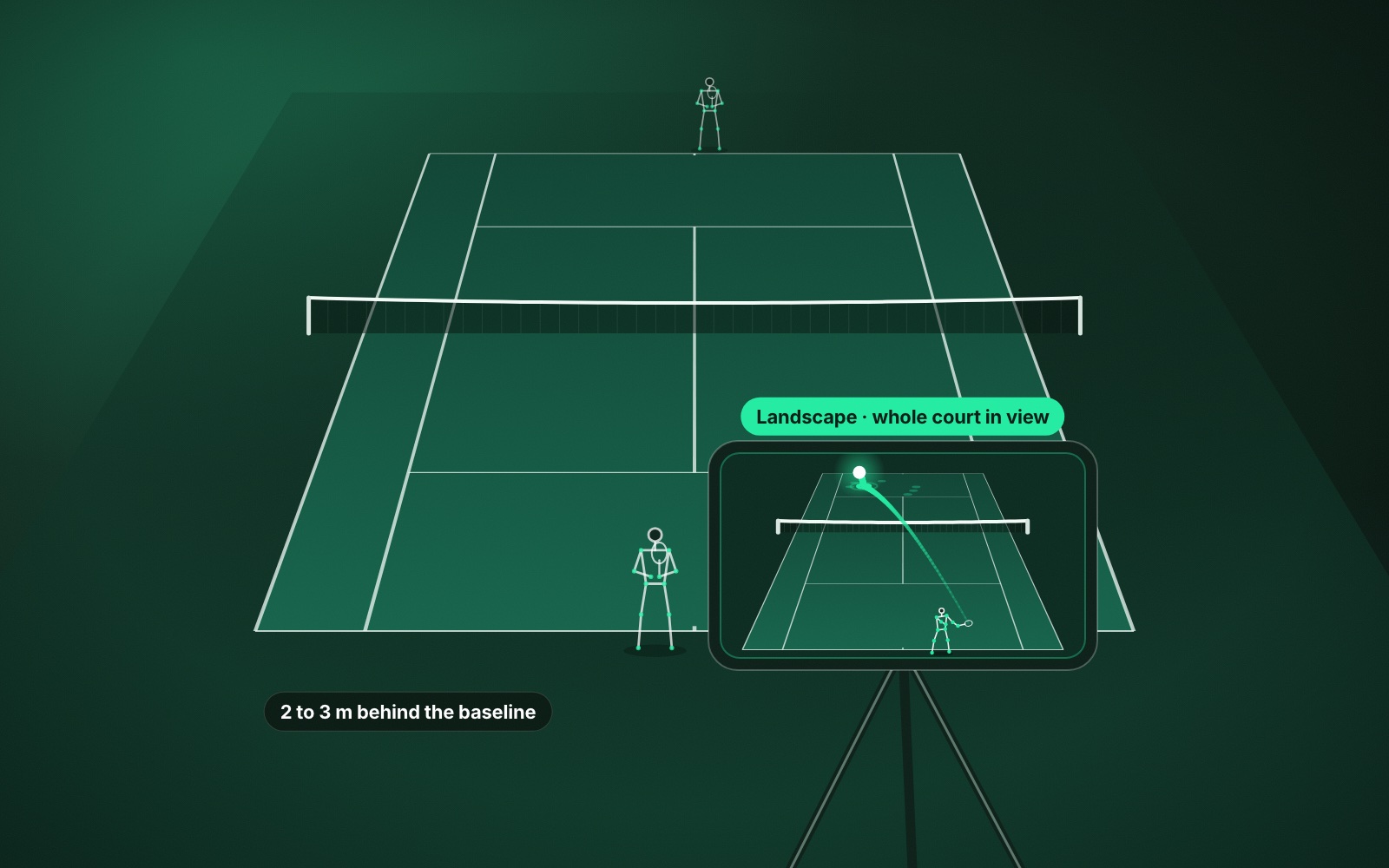
A highlight can only be as good as the recording behind it. ContactFrame works from one phone on a tripod behind the baseline, in landscape, with the whole court in view and the camera left untouched for the session. Get that right and everything afterwards is easier. Our guides to the best phone setup for filming tennis and recording a match on your phone cover the detail.
You can film a Match, a Practice session or a Ball machine session. A match gives you points with a story, practice gives you long rallies, and a ball machine gives you clean repetitions of one shot to show a coach.
Step two: find the moment
After a session, ContactFrame gives you two places to look.
Session insights
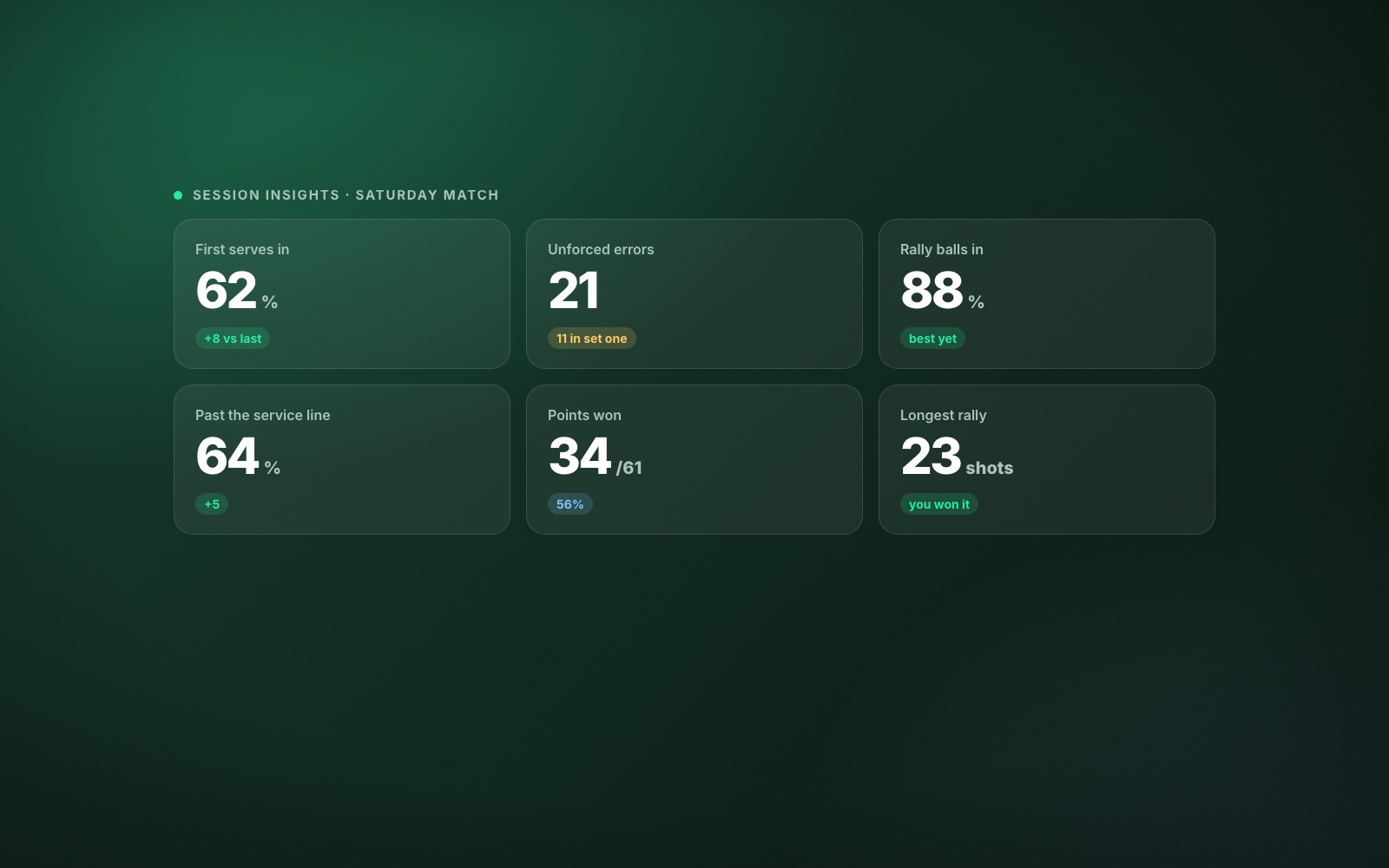
This is the summary. It lists your fastest shots and longest rallies, and shows winners, close calls and points won, along with speed and spin by shot type and a shot placement map. Read it first. It tells you what happened that was unusual, which is another way of saying it tells you where the highlights are.
Playback
This is the video itself, with the ball track, bounce marks and shot labels drawn on. You can jump straight to your shots, your serves, your close calls or your fastest shots, and watch any of them in slow motion.
Between the two, finding a moment takes seconds. Some good candidates:
- Your fastest serve or groundstroke. The obvious one, and always popular.
- Your longest rally. Better viewing than a single winner, and proof of consistency.
- A close call. The close-call replay settles the friendly argument from the changeover. Keep in mind that ContactFrame’s in and out calls are for coaching and review, not official line calling.
- A winner you set up. A point where the placement did the work is more satisfying than raw pace.
Step three: share a clip or a stat card
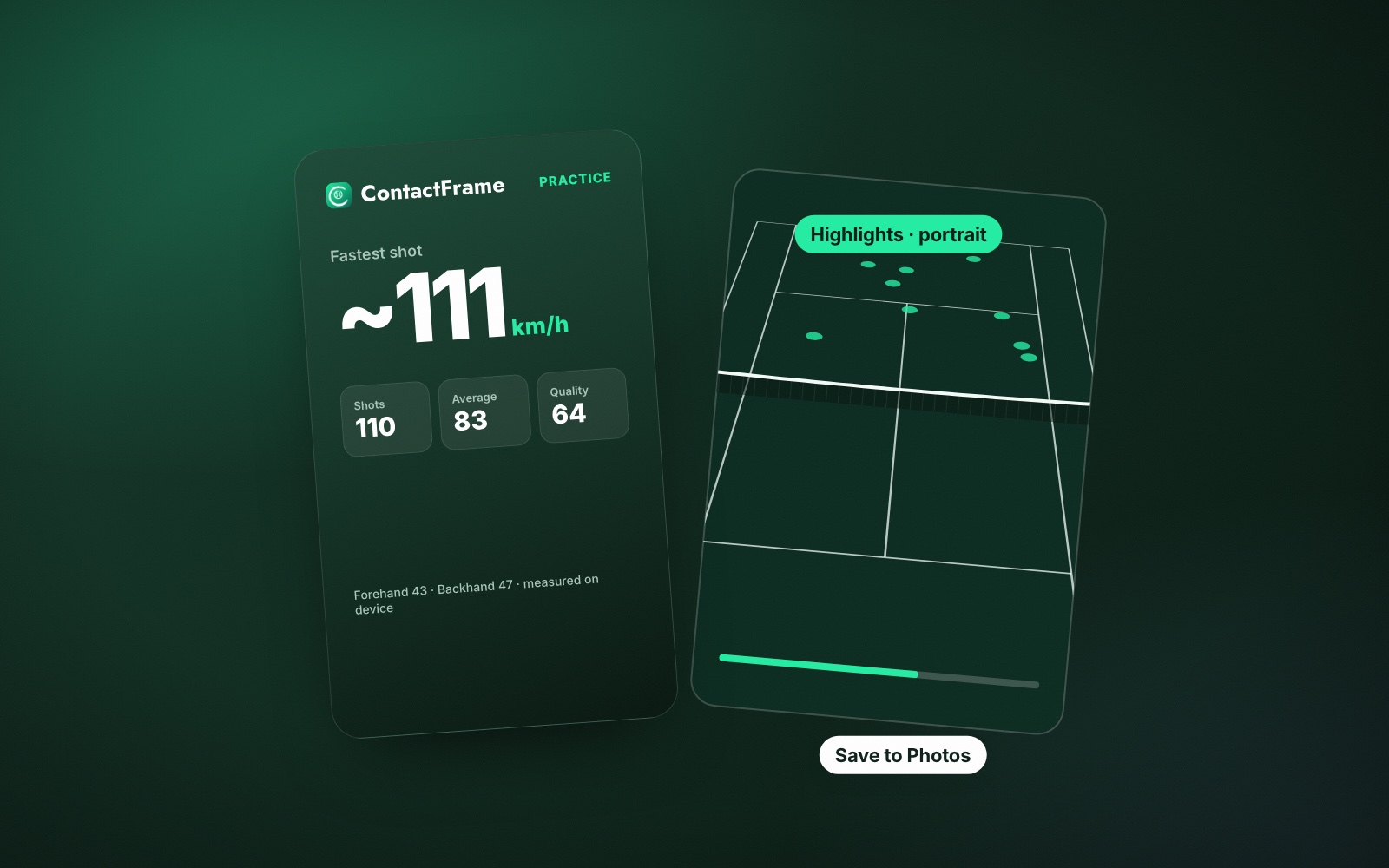
ContactFrame gives you two things to share from a session: a clip, or a stat card with the numbers on it. Either can be portrait or landscape.
When to send a clip
A clip is for anything where the movement matters. Send one when you want a coach to look at a stroke, when you want a hitting partner to see a pattern, or when the shot was simply good to watch.
When to send a stat card
A stat card is a single image, read in two seconds. It suits a summary of how the session went, and for most group chats it is the better choice.
Portrait or landscape
Portrait fills the screen of a phone held upright, so it suits stories and feeds. Landscape shows more of the court and is better on a laptop or a television, or whenever someone needs to see where the ball went as well as how you hit it.
Who to share tennis highlights with
Your coach. This is the most valuable use. A coach who sees you once a week has little idea what your forehand does in a match. Two or three short clips before a lesson, one going well and two going wrong, let them plan the hour. Add what you want to know. If you are on the Pro plan, the Next fix from shot mechanics is a sensible thing to raise with them.
Your opponent or hitting partner. Send the best rally you played together. It costs nothing and it is the easiest way to get a rematch.
Your league division. A stat card in the group chat after a match tends to start conversation.
Yourself, later. Saved clips are a record. A serve from the spring next to a serve from the autumn shows change more vividly than a graph, though the graph matters too. See how to track your tennis progress for using Trends alongside video.
Sharing well: a few manners
- Ask before posting someone else. Your opponent is in the frame. A quick “mind if I post this?” is basic courtesy, and essential where juniors are involved.
- Do not post their errors. Share your winner, not their double fault.
- Do not use a clip to reopen a line call. The match is over. The replay is for curiosity, not for appeals.
- Check the venue’s rules. Some clubs and centres have a policy on filming.
Which numbers are worth showing
Not every figure travels well. A few that do:
- Serve speed. Everyone understands it. If you are not sure how yours compares, what is a good serve speed gives rough, hedged ranges for club players.
- Longest rally. Easy to grasp and hard to fake.
- How many shots landed in. Less showy, but the figure other players respect.
- Shot quality. A score out of 100 for the session is a neat single number for a card.
For the wider question of which figures deserve your attention, read tennis stats that matter for club players.
Sharing is not the reason to film your tennis. Getting better is. But a clip sent to a coach makes a lesson sharper, and a card sent to a friend gets another match in the diary, and both of those feed straight back into your game. You can see what else a session gives you on The Lab page and join the list for the app there.
Common questions
Is there an app that makes tennis highlights from your phone?
Yes. ContactFrame analyses a session filmed on one phone behind the baseline, lets you jump to your fastest shots, serves and close calls in Playback, and share a clip or a stat card from the session.
How do I share a tennis clip from a match I filmed?
Film the session, open it in Playback and jump to the moment you want. From there you can share a clip, or a stat card with the session’s numbers on it, in portrait or landscape.
What is a tennis stat card?
A stat card is a single image that carries the numbers from a session. It is quicker to take in than a video and works well in a group chat or on a social feed.
Should I share tennis highlights in portrait or landscape?
Portrait suits phone feeds and stories, where people hold the phone upright. Landscape suits anything watched on a bigger screen and shows more of the court, which is better for coaching.
Do I need permission to post a video of my tennis match?
It is good manners to ask anyone who appears in the footage before you post it publicly, and some venues have their own rules on filming. Sending a clip privately to your opponent or coach is rarely a problem.
Your best shot, with the numbers on it.
See what The Lab measures and what you can share from a session.
Explore The Lab