The short version
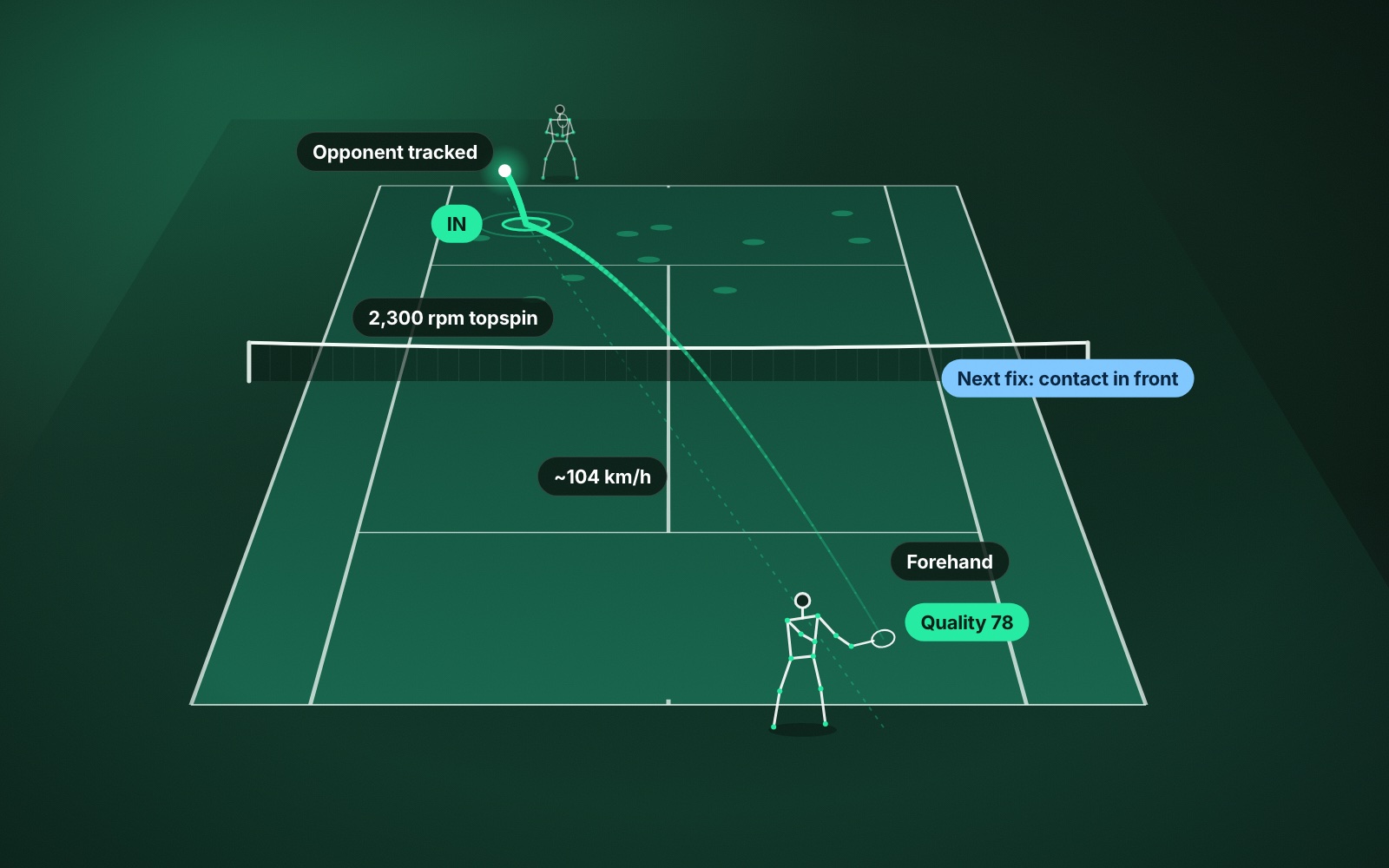
- In / out: every bounce placed on the court, with close calls flagged for a second look.
- Speed and spin: for each shot, and left blank when the reading is not solid enough to state.
- Shot quality: one score out of 100 for how effective each shot was.
- Mechanics: the swing behind the shot, with one thing to fix next.
- It is a coaching and review tool, not official line calling.
“AI” has become a word that promises everything and explains nothing. So let’s be specific. AI tennis video analysis means this: you put a phone behind the baseline, you play, and software turns the recording into measurements of the ball and of you. This guide goes through each measurement ContactFrame makes, what it is good for, and where its limits are.
First, the setup
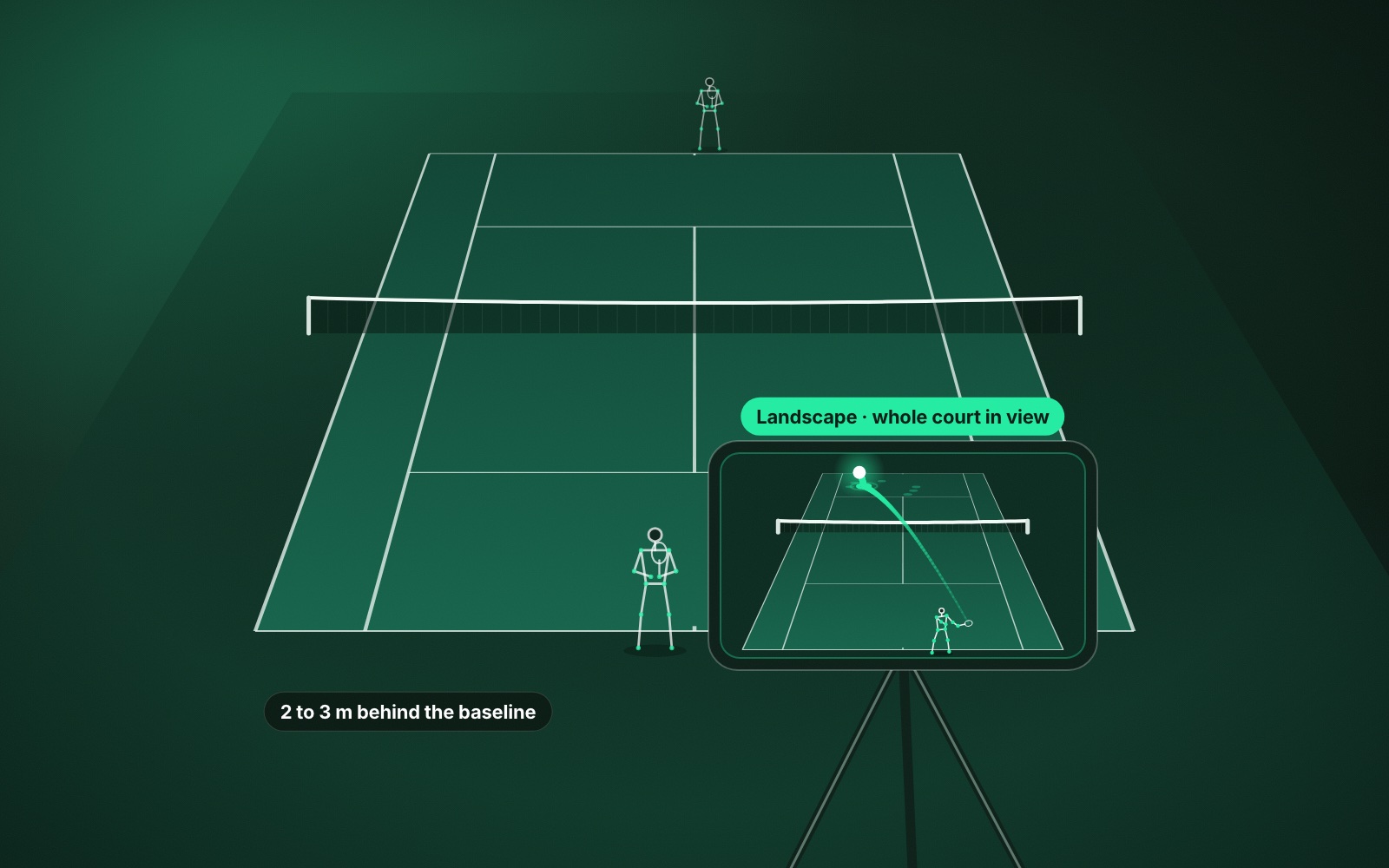
You need one phone, a tripod and a full view of the court. Put the phone in landscape behind the baseline, roughly centred, high enough to see the far baseline, and do not move it once you start. Then you line up the four corners of the court on screen and play.
That is the whole installation. No sensors on the racket, no wearables, no cameras bolted to a fence. The analysis runs on the phone itself. If you want the detail, there is a full guide to recording a tennis match on your phone.
In / out
The app follows the ball, finds each bounce and places it on a map of the court. Every bounce gets a call: in, out or close.
This is the measurement people ask about first, so it is worth being precise about the claim. ContactFrame is built for match review and practice, not official line calling. It will show you where a ball landed and let you replay the close ones. It is not meant to settle an argument in the middle of a point. There is a fuller explanation in AI line calling explained.
What it is really good for is the pattern. If your second serves keep landing short in the middle of the box, the placement map shows you before you have to remember it.
Shot speed
How fast the ball left your racket, shot by shot, with averages for each shot type and a list of your fastest.
Speed is the most intuitive number in tennis and the most overrated. A fast shot that lands out is not a good shot. Read speed next to how many balls went in, never on its own. If you are curious how yours compares, see what counts as a good serve speed.
Spin
How much the ball was rotating, in revolutions per minute, and whether it was topspin or slice.
Spin is what makes a shot behave differently from the way it looks. Two forehands at the same speed can land a metre apart and bounce to different heights because one is spinning far more than the other. For most club players the useful question is whether their rally ball has enough topspin to be hit hard and still drop in. Tennis spin explained covers what the numbers mean.
Shot quality
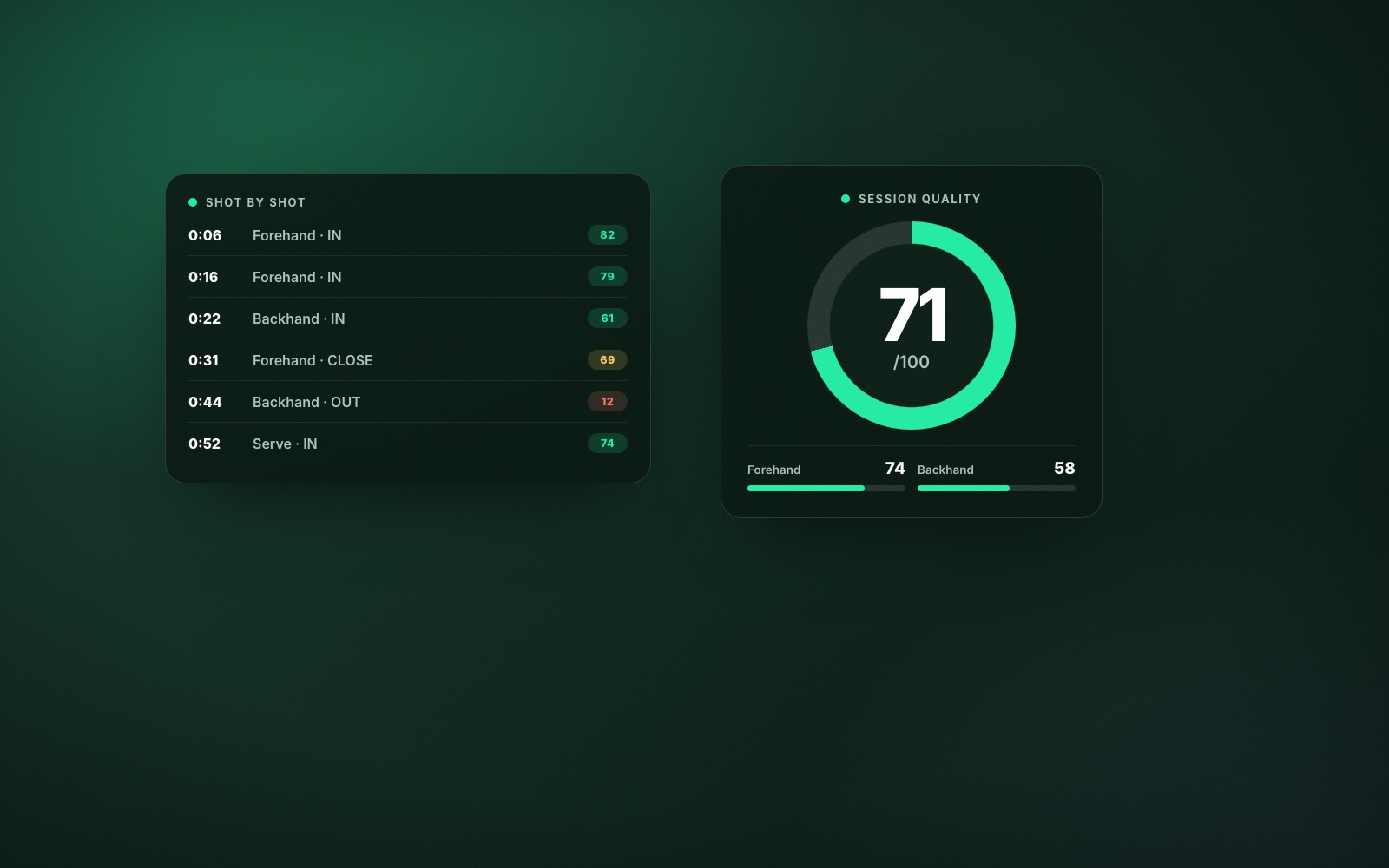
A score out of 100 for every shot, and an average for the session and for each shot type. It is not a judgement of how good the stroke looked. It is a summary of how effective the ball was.
Use it to find the outliers. Your highest-scoring shots are the patterns worth repeating, and the shot type with the lowest average is usually the one costing you points. Shot quality explained goes into how to read it.
Movement
How far you moved, where you stood, how well you got back to the middle after each shot, and how often you were set and ready when your opponent hit.
Players almost always blame the stroke when the feet are the problem. If your backhand breaks down mostly when you were late getting into position, a movement number will say so more honestly than the feeling in your arm.
Mechanics
On the Pro plan the app tracks your body through each swing and scores the parts a coach would watch: how you prepare, where you make contact, what your feet are doing and how the movement passes from legs to racket. You can replay any contact as a stick figure, and the app picks one Next fix with a drill for it.
Mechanics are most useful over time. One session tells you what happened once. Four sessions tell you what your default is. Mechanics cover the player nearest the camera.
The session as a whole
Every shot is grouped into rallies and points. In a match that gives you winners, forced and unforced errors, points won and a draft score you can correct. That is the difference between a list of 120 shots and an answer to “why did I lose the second set?”
Maybe fewer of your first serves went in. Maybe your backhand broke down under pace. Maybe you won the long rallies and lost the short ones. Session insights are where the individual measurements become a story, and playback lets you jump straight to the shots behind it.
What AI video analysis doesn’t do
It doesn’t replace a coach. It doesn’t know what you were trying to do. It doesn’t analyse doubles, and it doesn’t account for the wind or the fact that you were 4–1 up and thinking about the drive home. The comparison is covered properly in AI tennis coach versus human coach.
It also doesn’t make you better on its own. A number you don’t act on is just a number.
The point is not to collect more data. The point is to leave with one thing to change.
How to use the numbers
Pick one measure and one pattern. If your second serve is landing short, work on depth. If your backhand quality drops when the rally gets fast, work on getting set earlier. If you lose most of the short points, look at your serve and return.
Then film another session and see whether the number moved. That is the loop: play, measure, change one thing, repeat. For a worked example of the whole loop, read how ContactFrame helps you improve at tennis, or see The Lab for a real session.
Common questions
What equipment do I need for AI tennis video analysis?
One phone and a tripod. Put the phone in landscape a couple of metres behind the baseline with the whole court in view. There are no sensors, wearables or court hardware.
How accurate is AI tennis analysis from a phone?
Accurate enough to show you patterns across a session, which is what improves your game. ContactFrame leaves a number blank rather than showing one it is unsure of, and its in/out calls are for review and coaching, not official line calling.
Can AI tell me what is wrong with my tennis technique?
It can show you what your body did on each contact and point to the one thing most worth fixing. It cannot know what you were trying to do, which is where a coach or your own judgement comes in.
Does AI tennis analysis work for practice as well as matches?
Yes. ContactFrame has session types for matches, practice with a partner and ball machine sessions, and each one reports what is useful for that kind of session.
Does it work outside the UK?
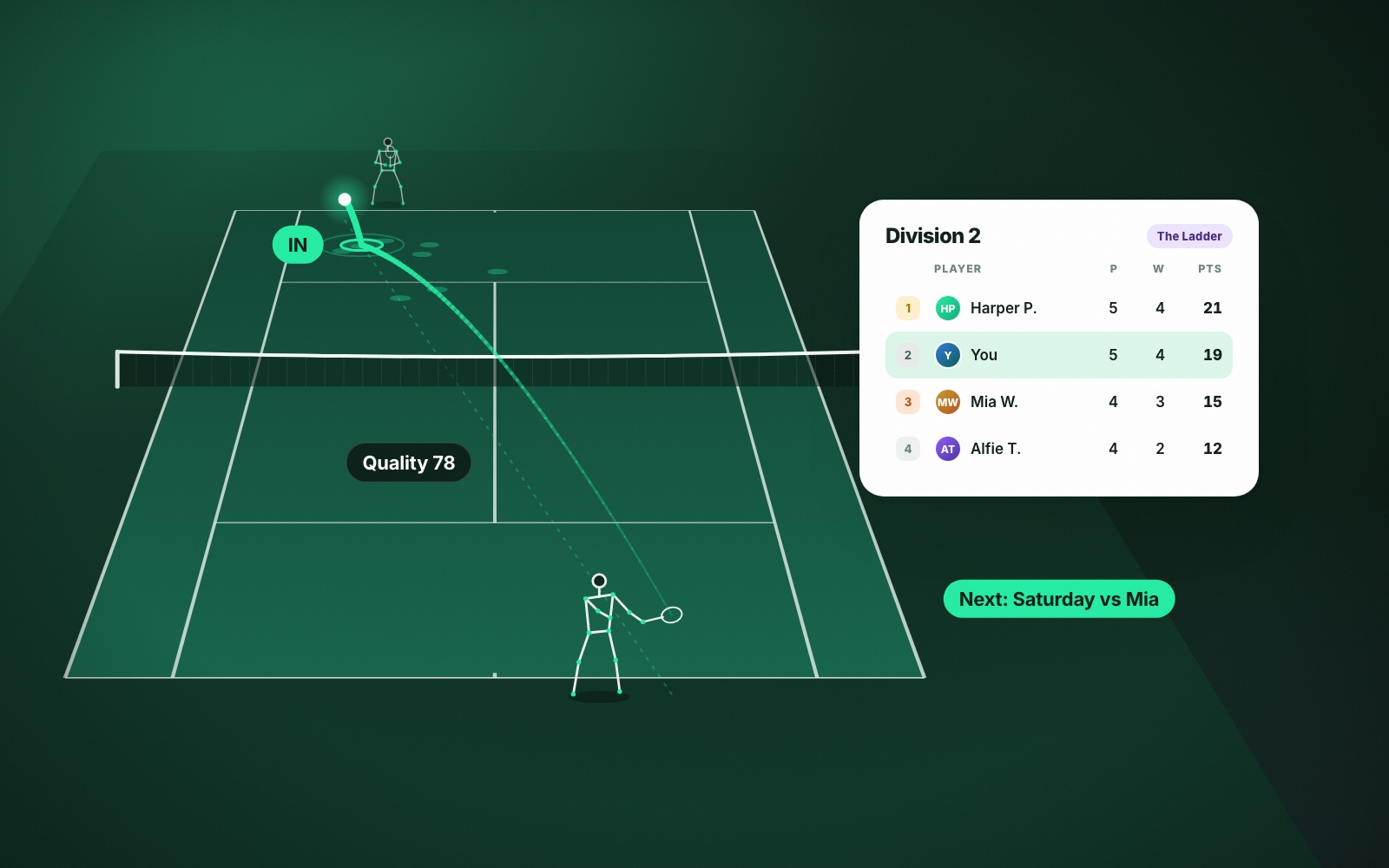
Yes. The video analysis works anywhere in the world. Only the local ladder is limited to the UK.