The short version
- Phone-based line calling is a review and coaching tool. It is not official line calling.
- Its real value is in the pattern across a session: how many shots land in, and where the misses go.
- ContactFrame gives every shot an in, out or close call, and close calls get their own replay.
- Camera height, a fixed tripod and good light decide how well any camera can see the lines.
- In a match, the players’ calls stand. Look at the replay afterwards, not during an argument.
Every club player has lost a point to a call they were sure was wrong, and most have made a call they were not sure about themselves. So when an app offers AI line calling in tennis from the phone in your bag, it sounds like the end of every argument.
It is not quite that, and it helps to know why before you rely on it. This piece explains what in and out calls from a phone are good for, where they fall short, and how to use them without falling out with your opponent.
What AI line calling in tennis actually is
There are two very different things that share the name.
The first is the electronic line calling you see at professional tournaments. It relies on many fixed cameras installed around a court, carefully calibrated and approved for officiating. It is expensive, permanent and built for one job: making the call.
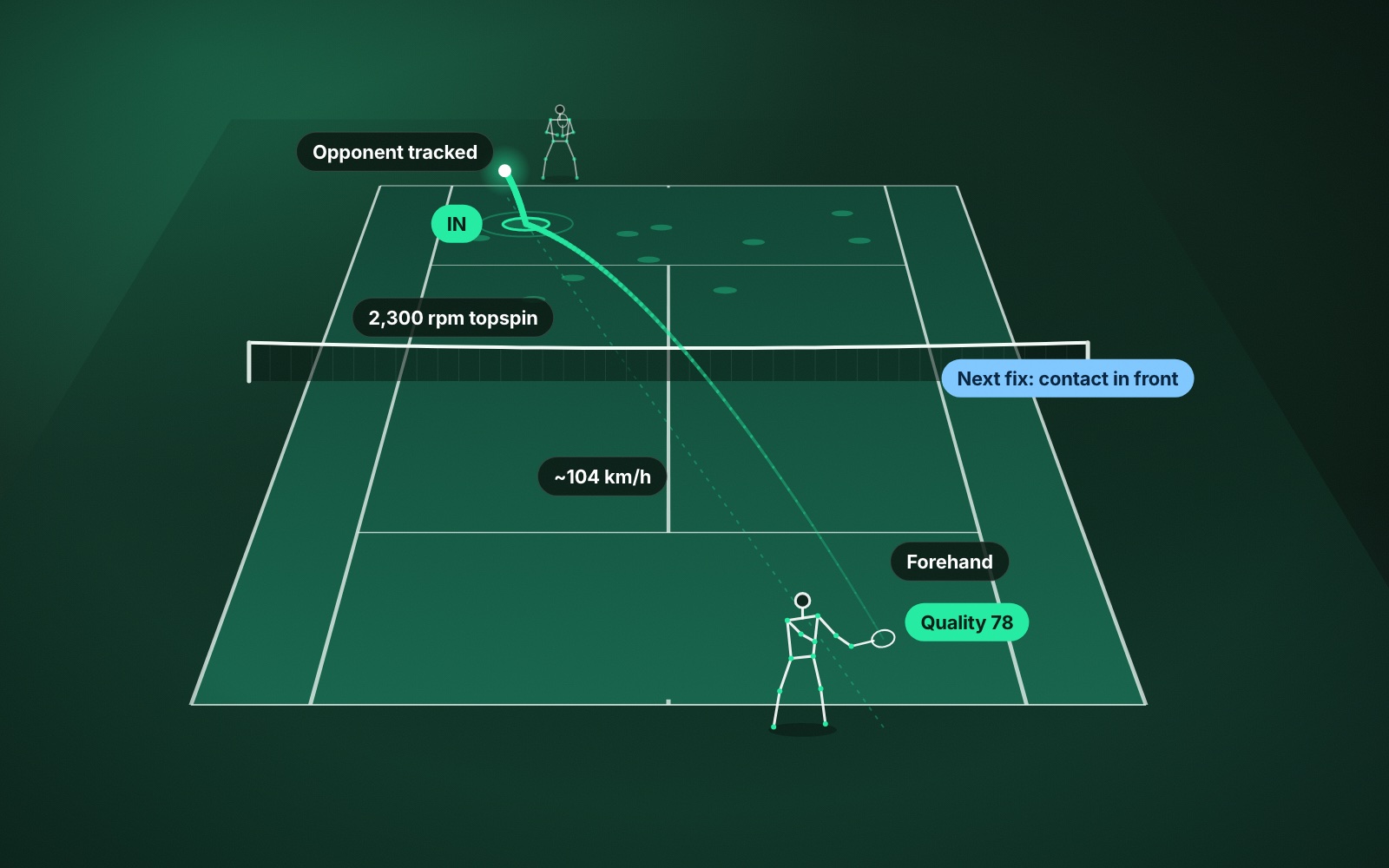
The second is what a single phone can do. The phone sits on a tripod behind the baseline, follows the ball, and marks where each shot bounced in relation to the lines. The result is a label on every shot and a map of where they landed.
These are different tools for different jobs. One replaces line judges. The other helps you review your own tennis.
What in and out calls from a phone are good for
The single disputed ball is the least interesting use. The useful part is what the calls add up to over a session.
- How many of each shot landed in. ContactFrame breaks a session down by shot type, serve, forehand, backhand, slice and volley, with how many of each went in. A backhand that goes in far less often than your forehand is a clear thing to practise.
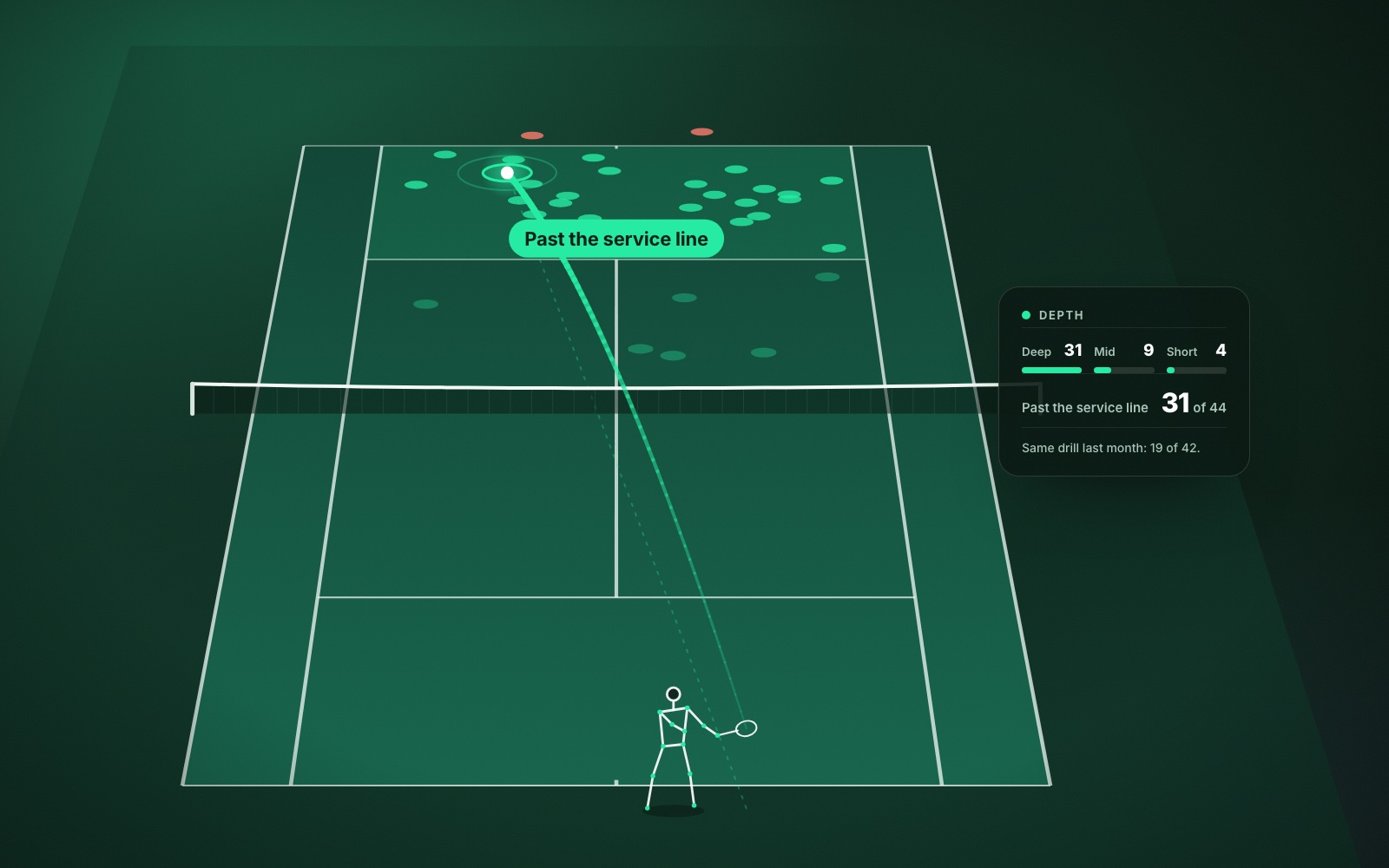
- Where the misses went. Missing long and missing into the net are different problems with different fixes. The shot placement map shows which one you have.
- How much margin you play with. If most of your shots land well inside the lines and you still lose rallies, you may have room to aim deeper. If they cluster on the lines, you are playing with very little safety. See how to hit deeper shots for using that map in practice.
- Serve patterns. First and second serves in, and whether they landed wide, body or T on each side.
- A draft match score. In a Match session, calls and points feed a draft score, which you can correct.
None of these depend on any one ball being judged to the millimetre. A session has dozens or hundreds of shots, and the pattern across them is what changes how you practise.
Close calls and the close-call replay
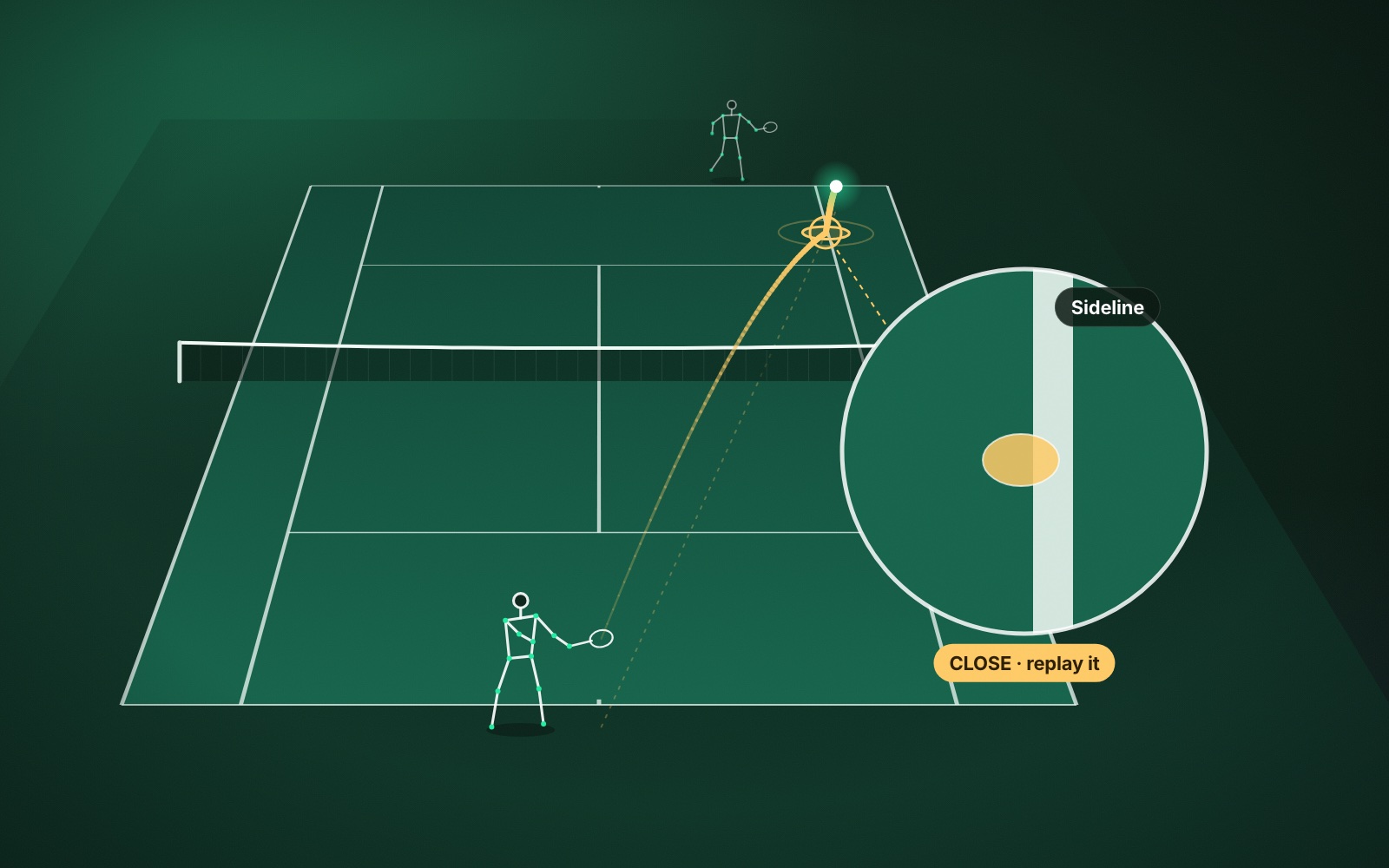
ContactFrame does not force every ball into in or out. Each shot gets one of three labels: in, out or close.
Close is the honest answer for a ball near the line seen from one camera. Those shots are gathered in Session insights, and you can jump to them in playback and watch the close-call replay in slow motion with the bounce mark drawn on the video.
This follows a rule the app applies everywhere: it does not show a number it is unsure of. An uncertain speed is left blank or marked approximate, spin is only shown when the reading is solid, and a ball too near the line to be confident about is flagged as close for you to look at.
What phone line calling cannot do
A single camera has limits that no amount of clever software removes.
- One viewpoint. The far baseline is a long way from the lens and seen at a shallow angle. A ball landing just beyond it and a ball clipping the back of it look very similar from there.
- Things get in the way. A player can stand between the camera and the bounce. So can the net, for balls landing close behind it at the far end.
- Light and surfaces. Low sun, deep shadow, faded lines and a ball the same colour as the background all make the picture harder to read, for a person as much as for software.
- Setup. If the tripod is knocked after you line up the court corners, every call after that is being made against lines that have moved.
- No live calls. ContactFrame does not shout “out” during play. Calls appear when you review the session.
How to get more reliable in and out calls
Most of it is the camera setup the app asks for: phone in landscape, on a tripod two to three metres behind the baseline, around net height or higher, with the whole court in view, never moved during the session and not pointing into the sun. Then line up the four corners of the court on screen with care.
Height is the part people skimp on. A higher camera sees the far lines far better than a low one. There is a full walkthrough in how to record a tennis match on your phone.
Using line calls in a match without an argument
In a friendly, league or tournament match without an umpire, each player calls the balls on their own side, and a ball you are not sure about is good. That is how local tennis works, and a phone on a tripod does not change it. The basics are in tennis etiquette for local matches.
The sensible way to use a recording is afterwards. Watch the close calls on your own, and you will learn two things. One is which of your shots are landing nearer the lines than you thought. The other is how good your own calling is. Most players find they have called a few good balls out, usually on the baseline when they were moving backwards.
The replay is for learning how you call, not for winning last Tuesday’s argument.
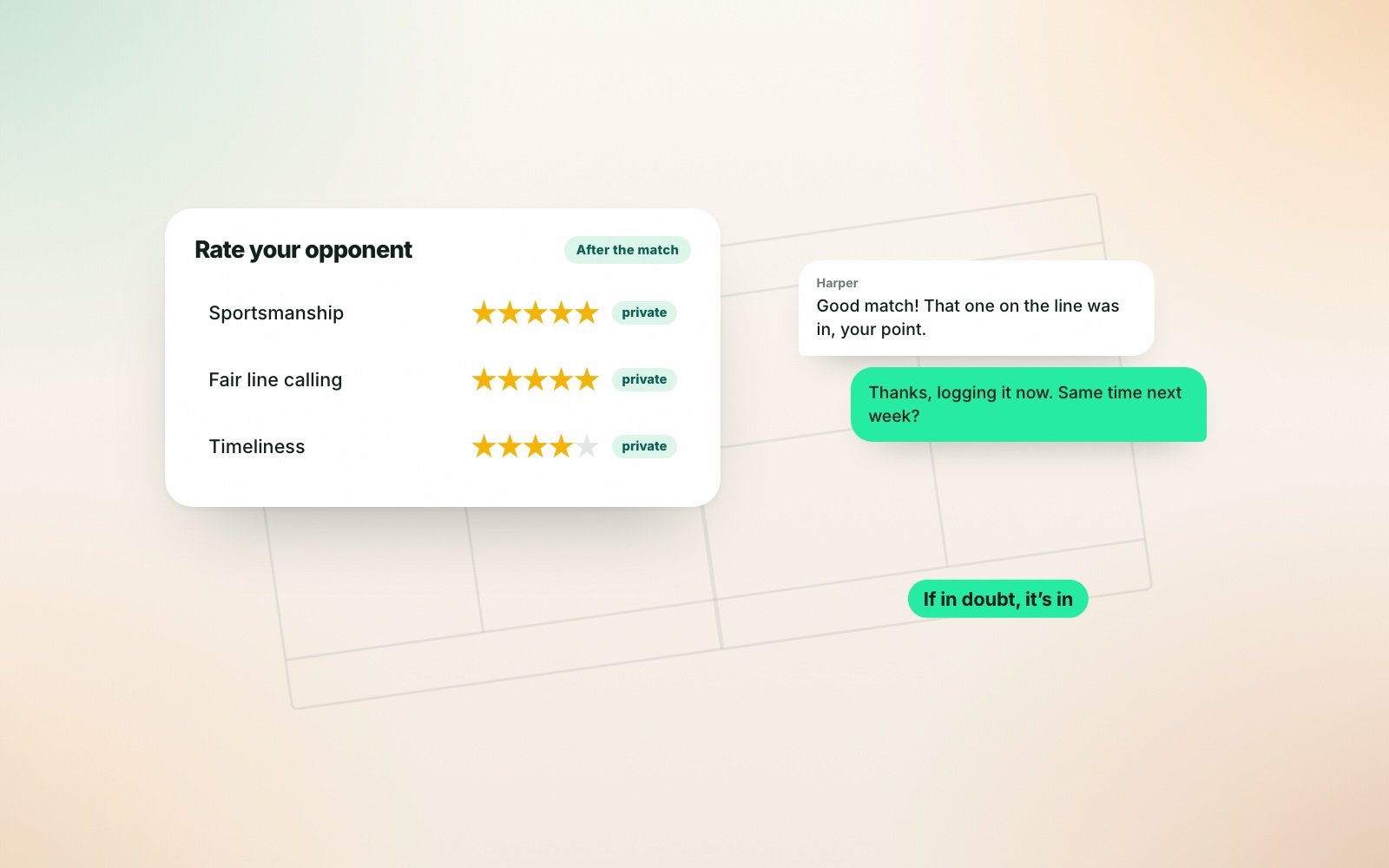
That second lesson matters on The Ladder, where opponents can privately rate each other on fair line calling after a match, and those ratings feed the Trust score on a profile. Reviewing your own close calls is a quiet way to become the opponent people want to play again.
Is AI line calling worth it for club players?
If you want an umpire, no phone will give you one. If you want to know how often your shots land in, where the misses go and how close to the lines you are really playing, it is one of the most practical things video can tell you.
Line calls are also only one part of what the camera picks up. Speed, spin, rallies and movement come from the same recording, and what AI tennis video analysis measures covers the rest. In/out calls are included on every ContactFrame plan, including the free one, so you can try them in The Lab on a short practice session before filming a full match.
Common questions
Can a phone call lines in tennis?
A phone on a tripod can mark where each ball bounced and label it in, out or close. That is good enough to review a session and learn from it, but it is not a replacement for official line calling.
Is AI line calling accurate enough to settle a disputed point?
A single phone is not built for that job and should not be used that way. On balls very near the line, treat the result as a prompt to watch the replay, and let the normal rules on players’ calls decide the point.
What is the difference between professional line calling and a phone app?
Professional electronic line calling uses many fixed, calibrated cameras around a court and is tested and approved for officiating. A phone app uses one camera from one position, which is why it is meant for coaching and review.
What does a close call mean in ContactFrame?
It means the ball landed near enough to a line that the app flags it for you to look at. ContactFrame collects these so you can watch the close-call replay and judge for yourself.
How do I get better line calls from my phone?
Follow the camera setup carefully: landscape, two to three metres behind the baseline, net height or higher, whole court in view, never moved, not facing the sun. Then line up the four court corners accurately on screen.
See where every ball landed.
ContactFrame marks each bounce in, out or close, and saves the close ones for a replay.
Explore the Lab