The short version
- There are two kinds of tennis video app: ones that help you analyse the video, and ones that analyse it for you.
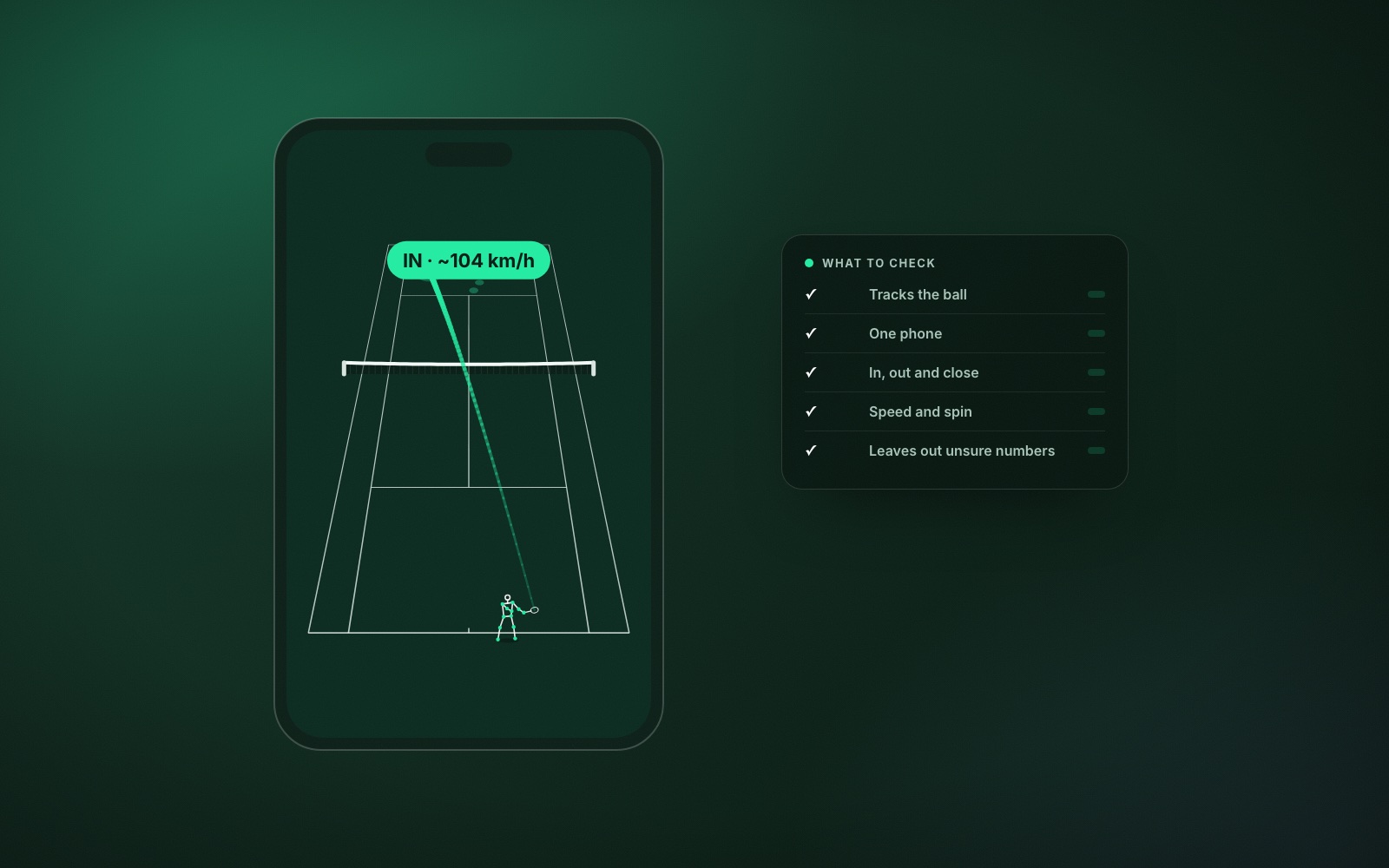
- Automatic ball tracking is the dividing line. Without it you get no placement, no in/out and no shot-by-shot numbers.
- Check that it works with one phone, for practice as well as matches.
- Prefer an app that leaves a number out when it is unsure.
- Try it free on two or three real sessions before you pay.
The phrase “tennis video analysis app” covers two very different products. The first kind is a video player. It lets you slow the footage down, draw lines on it and put two clips side by side. You do the analysis. The second kind watches the video for you and comes back with numbers for every shot. If you are looking for the best tennis video analysis app, the first decision is which kind you want.
The manual kind is useful with a coach beside you who knows what to look for. If you are working alone, you want the automatic kind. The rest of this guide is about how to judge one. We make ContactFrame, so read it with that in mind; the checks apply to any app.
1. Does it track the ball automatically?
This is the dividing line. An app that follows the ball can tell you where every shot landed, how deep it was, whether it was in and how fast it travelled. An app that only watches the player can describe your swing but not what the swing produced. Points are won by where the ball goes.
2. Does it work from one phone?
Some systems need two cameras, a special mount or fixed hardware at the court. The more kit a session needs, the fewer sessions you will film. One phone on a tripod behind the baseline is the setup you will keep using. There is a short guide to the best phone setup for filming tennis.
3. Does it tell you where your shots land?
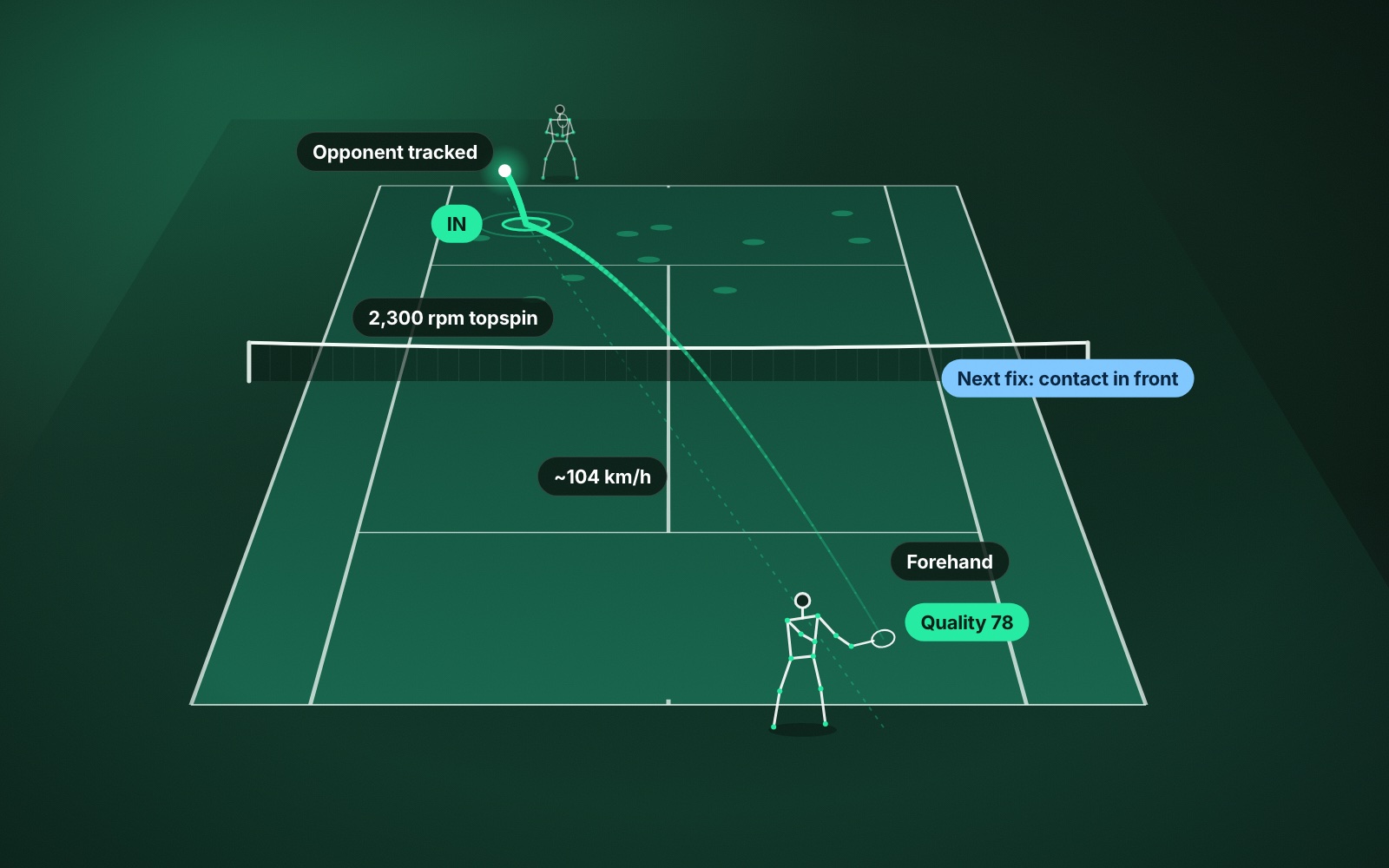
A placement map of a whole session is the single most useful picture in tennis analysis. It shows at a glance whether your rally ball is landing short, whether your serve favours one side, and where your errors cluster. If the app cannot draw this, look elsewhere.
4. Does it give in and out calls, and is it honest about them?
In/out from a phone is a review tool. A good app says so, flags the close ones and lets you replay them. Be wary of any phone app that presents its calls as official. More in AI line calling explained.
5. Speed and spin for every shot
Speed is easy to want and spin is easy to overlook. Together they explain most of what makes a ball hard to return. Check whether the app reports both, and whether it breaks them down by shot type so you can compare your forehand with your backhand. Tennis spin explained covers why it matters.
6. Does it leave numbers out when it is unsure?
This sounds like a weakness and is the opposite. Any system reading a small fast ball from a phone video will sometimes be uncertain. An app that shows a confident figure on every shot is hiding that. One that shows a gap, or marks a figure as approximate, is telling you which numbers you can train around.
7. Does it understand points, not only shots?
In a match you want rallies grouped into points, with winners, forced errors and unforced errors, so you can ask why a set went the way it did. In practice you want something different: consistency and depth across a drill. The better apps have separate modes for matches, practice and ball machine sessions.
8. Can you get to the right moment quickly?
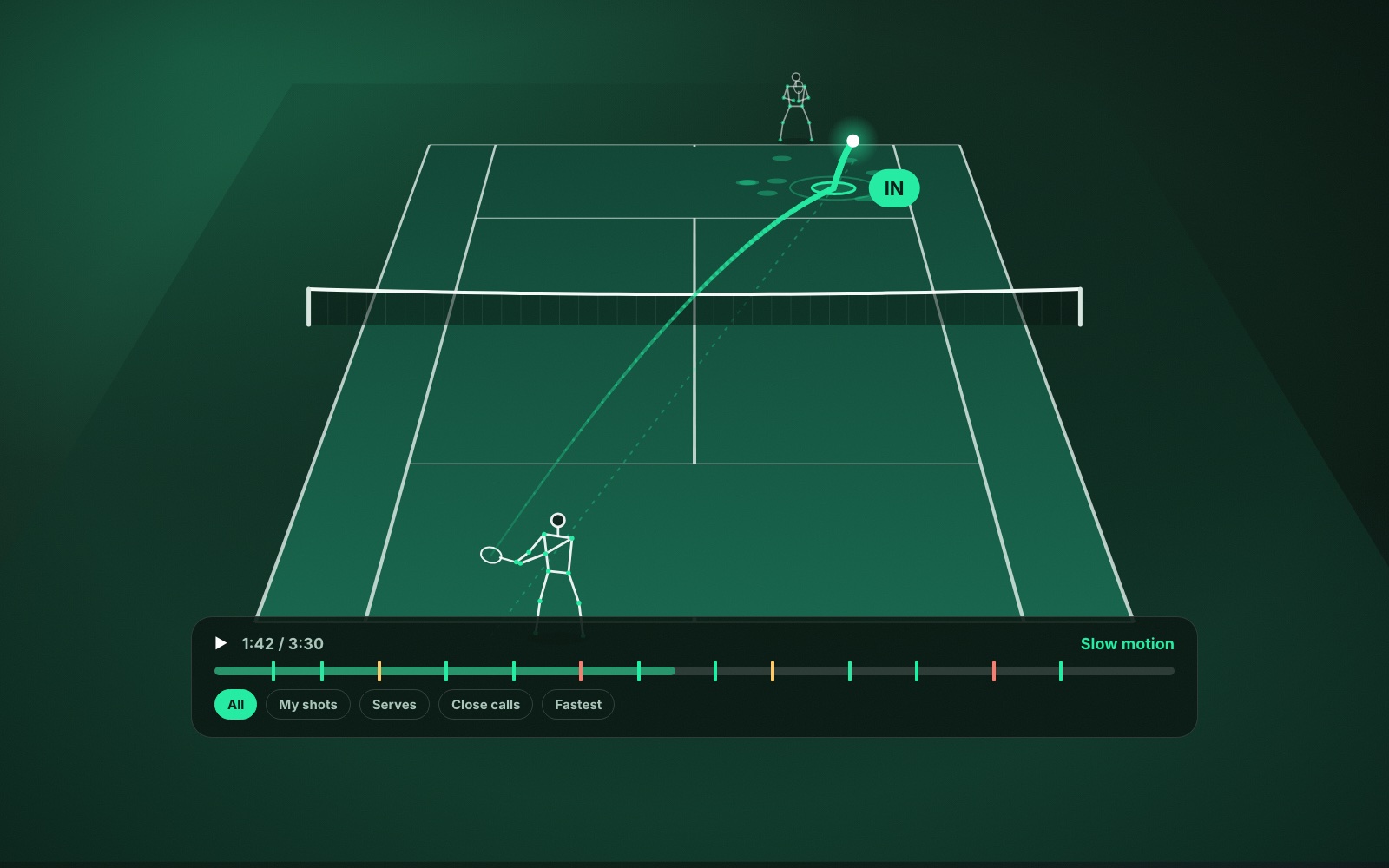
Nobody rewatches an hour of tennis. Good playback draws the ball path and bounce marks on the video and lets you jump to your serves, your close calls or your fastest shots. If finding one rally takes a minute of scrubbing, you will stop looking.
9. Does it show progress over time?
One session is a snapshot. The value comes from seeing the same measures across many sessions, so you can tell whether the change you made last month has held. See how to track your tennis progress.
What about swing analysis?
Swing or mechanics analysis tracks your body through the stroke. It is the natural next step once you know which shot needs work, and it is most useful when it ends in one clear instruction and a drill, not a wall of joint angles. What to look for in tennis swing analysis has more.
How ContactFrame measures up
Against the nine checks: ContactFrame tracks the ball automatically from one phone, with the analysis running on the phone. It maps where every shot landed and calls each bounce in, out or close, with a replay for the close ones. It reports speed and spin by shot type and leaves a figure out when it is not confident in it. It has separate session types for matches, practice and ball machine work, playback with the ball track drawn on the video, and trends across sessions.
Every shot also gets a quality score out of 100, and movement is tracked alongside the strokes. Swing mechanics, with a Next fix and a drill, are part of the Pro plan. The full breakdown is in what AI tennis video analysis measures, and the plans are on the pricing page.
What it does not do: doubles analysis, official line calling, or live coaching while you play.
Try before you commit
Whichever app you are considering, film two or three ordinary sessions before paying for a year. Then ask one question: did it change what you practised? If the answer is yes, it is the right app for you. If you spent the time admiring your fastest forehand, it is entertainment, which is fine, but price it accordingly.
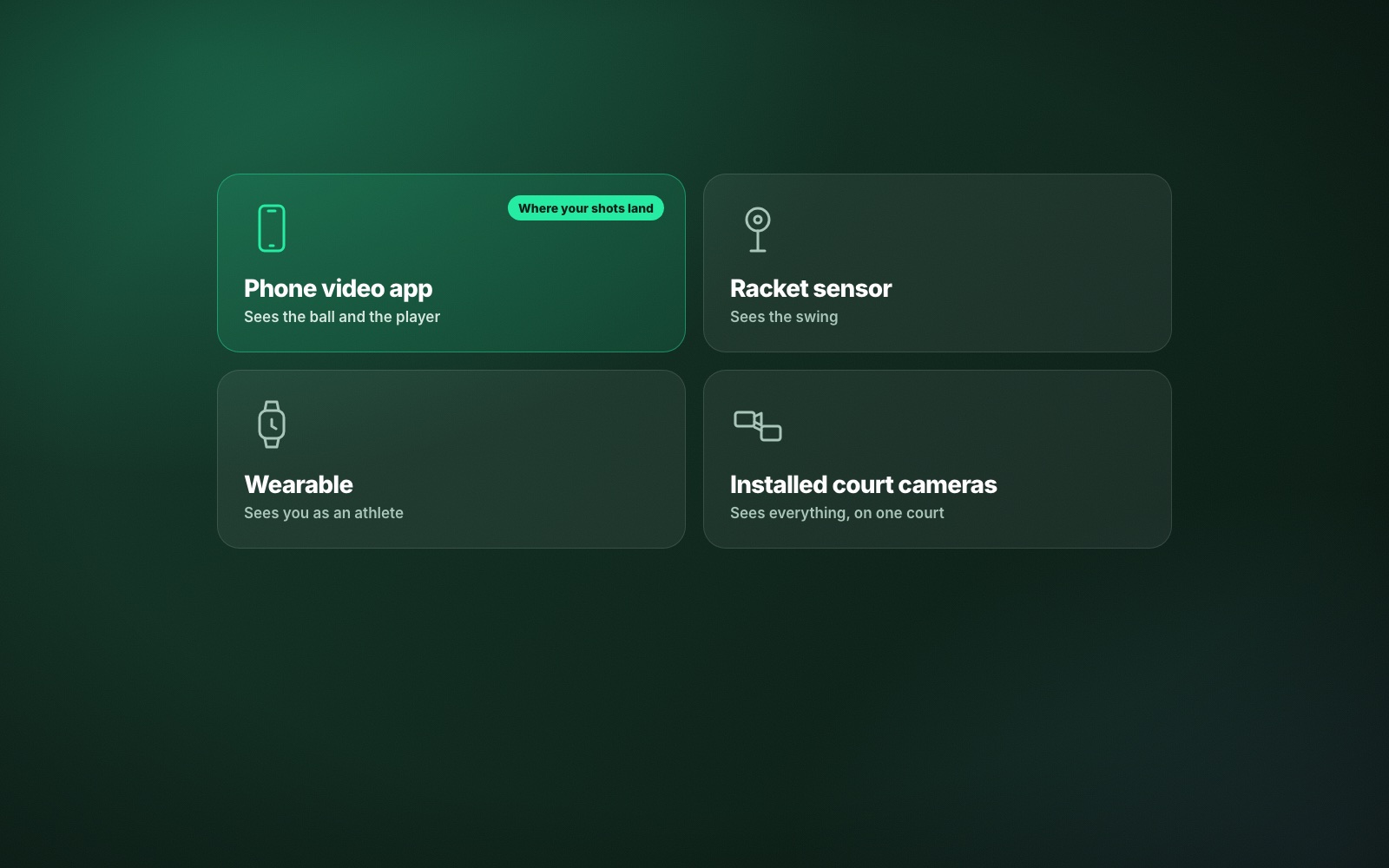
For a wider view that includes sensors and wearables, read the best AI tennis tools.
Common questions
What is the best app for analysing tennis video?
One that tracks the ball automatically, so it can tell you where each shot landed, how fast it was and whether it was in. ContactFrame does this from a single phone and has a free plan to try it.
Can I analyse my tennis with just my phone?
Yes. A phone on a tripod behind the baseline, with the whole court in view, is enough for automatic shot tracking. You do not need a second camera or any sensors.
What is the best tennis app for recording matches?
Look for one that records and analyses in the same app, groups shots into points, and lets you jump straight to serves, close calls or your fastest shots instead of scrubbing through an hour of video.
Is there an app that tracks tennis shots automatically?
Yes. ContactFrame tracks every shot in a session automatically and reports its speed, spin, landing position and an in, out or close call.
Do tennis video analysis apps work on Android and iPhone?
It varies by app. ContactFrame is coming to both iOS and Android.
Film one session and see.
ContactFrame’s free plan includes recording time every month.
See the plans