The short version
- ContactFrame is our pick for most UK club players: one phone on iOS or Android, ball and body insight in one app, and £9.99 a month for unlimited recording. It is launching soon, so join the list.
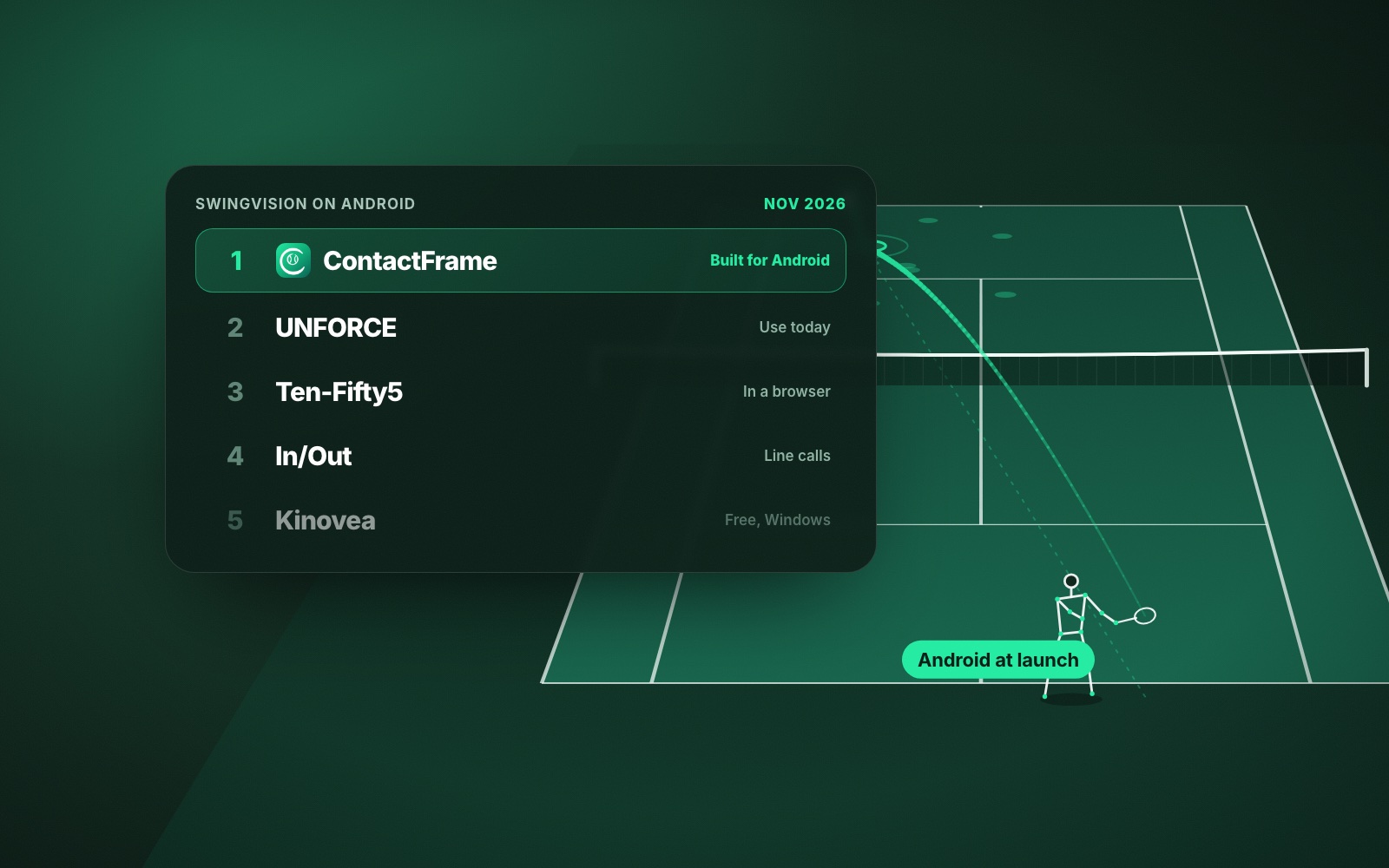
- On Android today, UNFORCE (Android and web) and Ten-Fifty5 (any browser) both work.
- If you hate subscriptions, In/Out is a one-off purchase from $299 and Kinovea is free on Windows.
- SwingVision still has real strengths: a free tier of 8 recording hours a month, an Apple Watch app and live streaming.
- All prices and features were checked on official pages in November 2026 and can change.
SwingVision is a well-established tennis video app, and for plenty of players it does the job well. People look for SwingVision alternatives because it only runs on Apple devices, the monthly price adds up, or they want more from their footage. This guide ranks the real options in 2026, with UK prices where published.
We make ContactFrame, so weigh our top pick accordingly. Everything we say about the others comes from their own websites and app store pages, checked in November 2026. Prices and features change.
How we judged these SwingVision alternatives
For each product: what you need to buy, what it measures, the price (in pounds where published), the platforms, and whether it is still supported. Retired apps are left out. We have not run accuracy tests, so nothing here claims one product is more accurate than another.
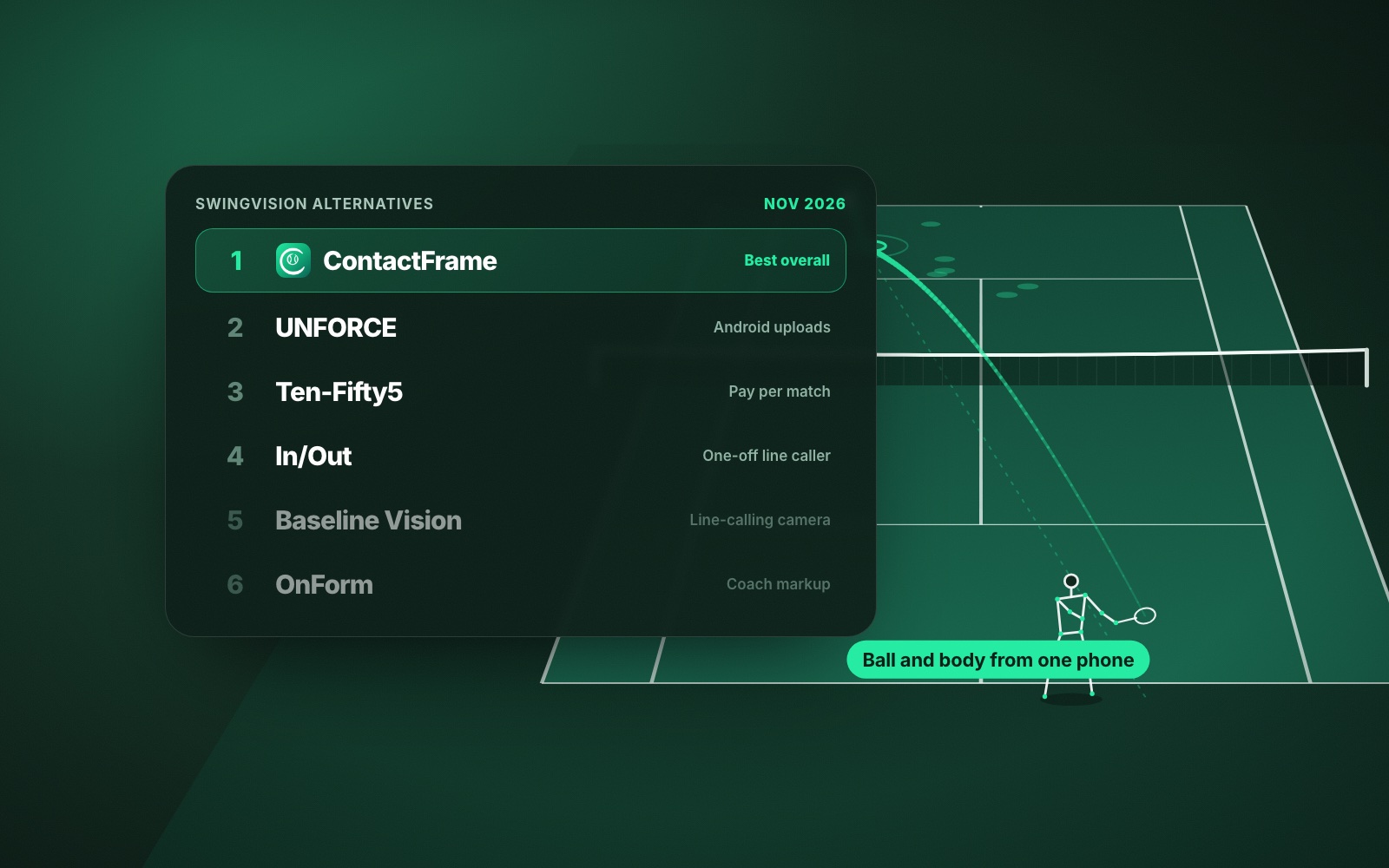
The quick list
- ContactFrame: best overall for UK club players who want ball and body insight from one phone
- UNFORCE: best for Android owners who want uploads analysed now
- Ten-Fifty5: best for occasional singles match reports, paid per match
- In/Out: best one-off purchase for live line calls
- Baseline Vision: best dedicated line-calling camera for serious players and coaches
- Club camera systems (PlaySight, Wingfield, Swing Court): best hands-free option if your club has one
- OnForm: best for coaches who mark up video by hand
- Kinovea: best free tool for frame-by-frame review on Windows
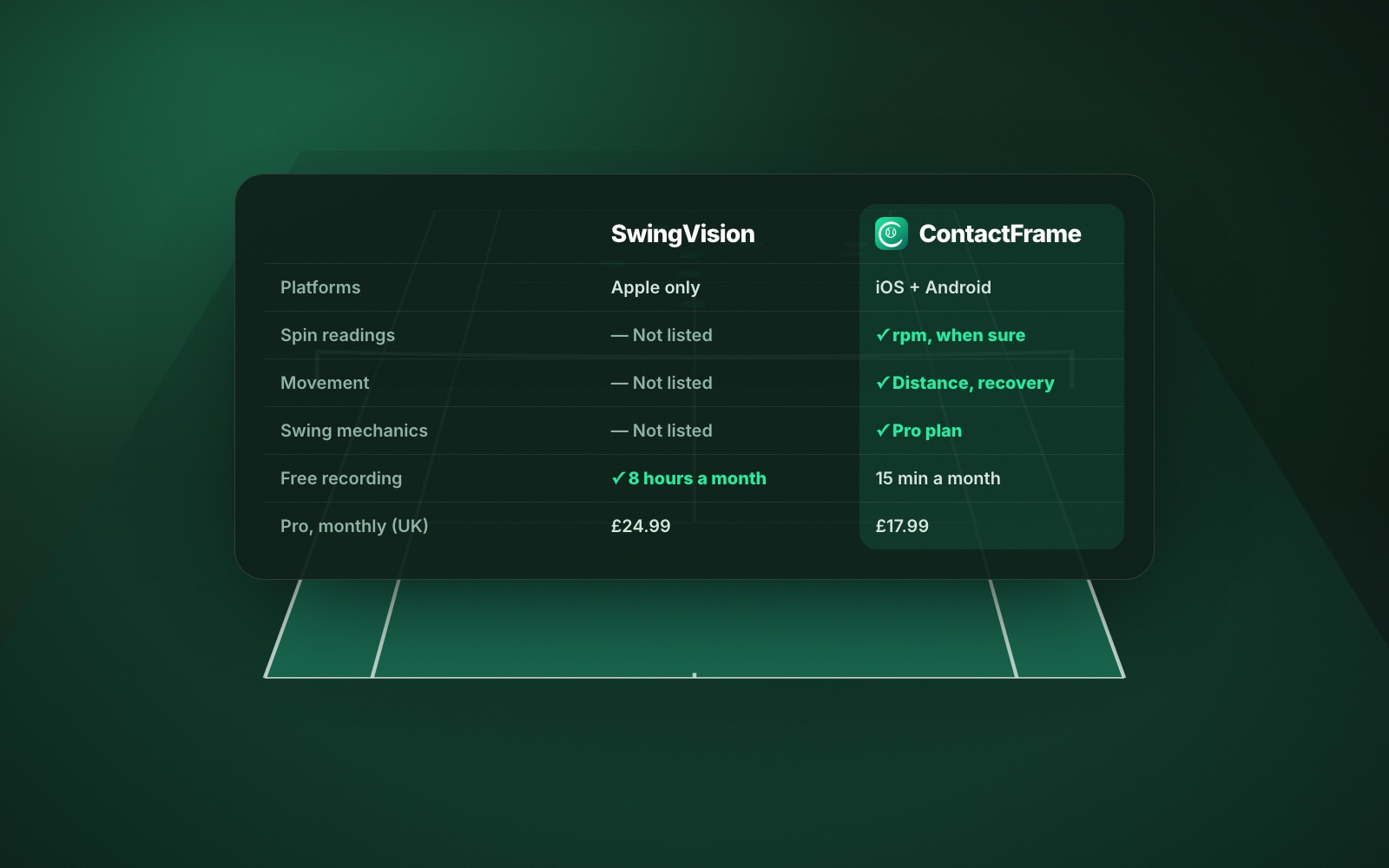
Depth of insight: ContactFrame next to SwingVision’s published list
What matters most is what an app tells you afterwards. Here is everything ContactFrame shows, next to what SwingVision’s plan page and App Store listing describe.
ContactFrame
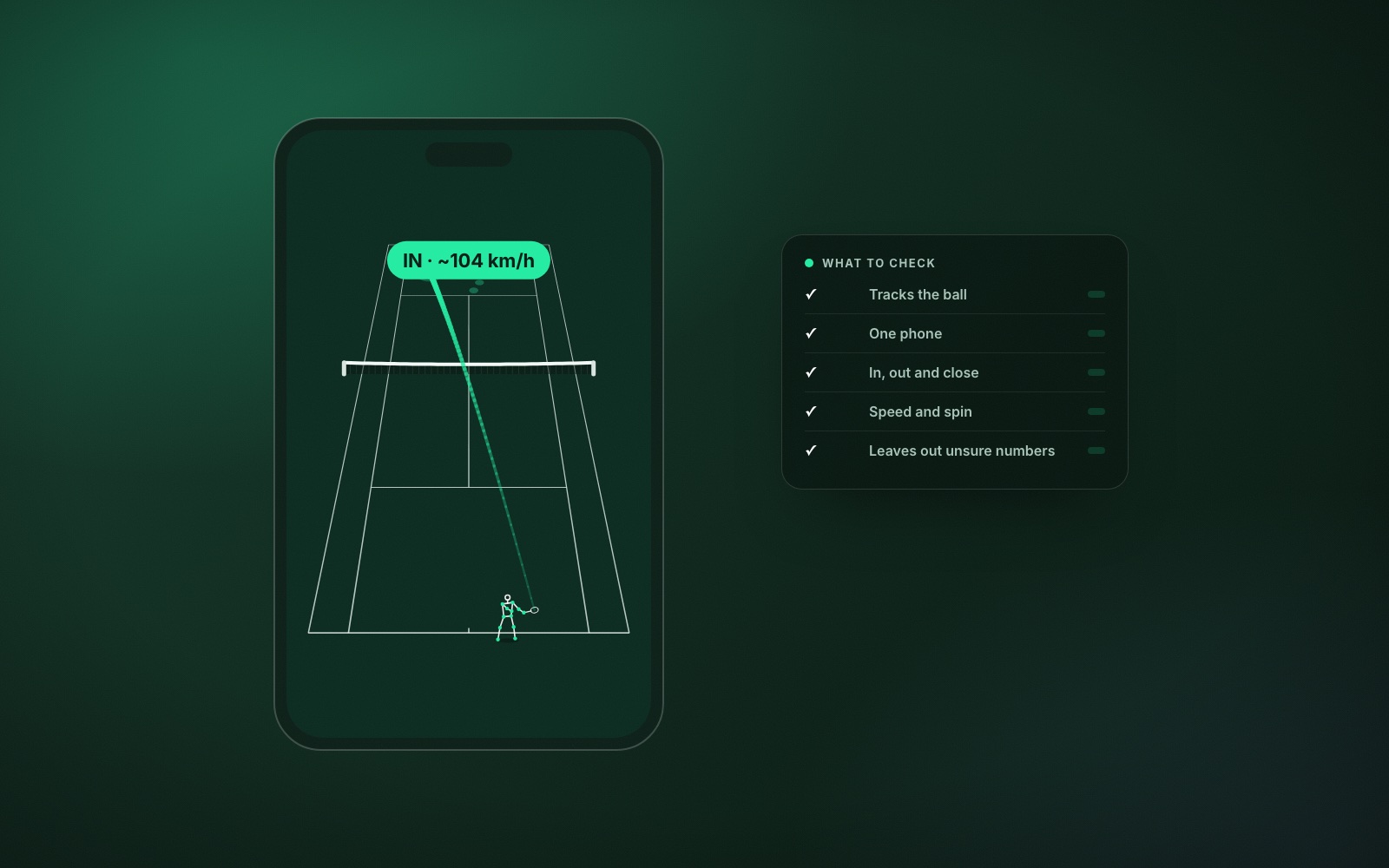
- Every shot: ball speed, spin in rpm with topspin or slice (shown only when the reading is solid), bounce position, in / out / close call, shot type and a shot quality score out of 100.
- Every session: placement map, speed and spin by shot type, how many of each shot landed in, fastest shots, longest rallies, rally summary, winners, forced and unforced errors, close calls with replay, points won and a draft score you can correct.
- Serve: first and second serves in, serve speed, and where serves landed on the deuce and ad sides (wide, body, T).
- Movement: distance covered, where you stood, recovery to the middle and how often you were ready when your opponent hit.
- Mechanics (Pro): body points tracked through the swing, swing scores for preparation, contact, footwork and kinetic chain, a stick-figure replay of each contact and one Next fix with a drill.
- Trends for every measure, and playback with the ball track and bounce marks drawn on the video.
SwingVision (as published)
- Shot stats and heatmaps for speed, depth and consistency (free).
- Video trimming and highlights.
- Line calls, with full-court calls on Pro.
- Shot-by-shot analysis and raw data export, scoring and match stats, and strategy insights on best and worst shot patterns (Pro).
- Personalised coaching tips and weekly goals (App Store listing).
SwingVision’s current pages do not list spin readings, movement, shot quality scores or swing mechanics, though a 2021 LTA announcement mentioned spin and footwork feedback, so check the app if those matter. For what each measure means, see what AI tennis video analysis measures.
1. ContactFrame: best overall for UK club players
ContactFrame turns one phone on a tripod behind the baseline into a full session review: every shot measured, plus how you moved and, on Pro, how you swung. It is built for iOS and Android. It also includes The Ladder, with UK leagues, tournaments, rankings and a court finder; none of the other video options here lists all of those.
ContactFrame is launching on iOS and Android and cannot be downloaded yet; join the list. Meanwhile, use SwingVision’s free tier on an iPhone, or UNFORCE or Ten-Fifty5 on Android.
- Needs: one phone and a tripod. No sensors or court hardware.
- Platforms: iOS and Android at launch.
- Price (checked Nov 2026): Free £0 with 15 minutes of recording a month; Basic £9.99 a month with unlimited recording; Pro £17.99 a month adds sharper filming and shot mechanics. See plans.
- Good at: ball and body insight in one app; it leaves out a number it is unsure of rather than guessing.
- Watch out for: not out yet; a small free tier; no Apple Watch app, live streaming or doubles analysis; in/out calls are for review, not official line calling.
2. UNFORCE: best for Android owners right now
UNFORCE (formerly AceSense) analyses a session you film on one phone and upload, returning a summary, clips and a debrief. Coaches can read your debriefs free. Its iOS app is not publicly available yet. See unforce.io.
- Needs: one phone.
- Platforms: Android and web.
- Price (checked Nov 2026): Pro €19 a month or €190 a year for 20 analyses a month, videos up to 30 minutes and 30 days of history; Team €49 a month. A 7-day Pro trial is offered to eligible users.
- Good at: Android and browser use.
- Watch out for: a monthly cap on analyses; euro pricing; its homepage does not confirm speed readings or line calls.
3. Ten-Fifty5: best for pay-per-match singles reports
Ten-Fifty5 runs in a web browser. Upload a singles match filmed from behind the baseline and you get a point-by-point breakdown of serve, return and rally play, placement and rally length.
- Needs: a phone or camera on a fence mount or tripod.
- Platforms: web only, so Android, iPhone or computer.
- Price (checked Nov 2026): first match free, then $25 a match, bundles from $15 a match, $40 a month for up to 10 matches, or a $300 non-renewing season pass.
- Good at: paying only for the matches you care about.
- Watch out for: singles only; analysis after the match; US-dollar pricing.
4. In/Out: best one-off purchase for live line calls
In/Out is a net-post device that calls lines with light and sound while you play, sends full-court video to your phone, and shows placement and shot speeds.
- Needs: an In/Out Net Device; optional Line Devices.
- Platforms: iOS and Android companion app.
- Price (checked Nov 2026): one-off, no recurring fee: $299, $499 or $999 depending on how many devices.
- Good at: live calls during play with no subscription.
- Watch out for: hardware to carry and set up; its site does not state UK shipping or pricing.
5. Baseline Vision: best dedicated line-calling camera
Baseline Vision’s camera clips to a net post and calls lines in real time with sound and lights, with placement, speed and net clearance stats.
- Needs: the Baseline camera; the company recommends two for professional-level accuracy.
- Platforms: iOS and Android.
- Price (checked Nov 2026): US$1,999 per camera with free worldwide shipping (import duties may apply); the app is free, and Baseline Pro is $12 a month billed annually.
- Good at: real-time calls from purpose-built hardware.
- Watch out for: the price; a UK distributor could not be confirmed.
6. Club camera systems: best if your club already has one
Fixed club cameras mean nothing to set up. PlaySight’s SmartCourt offers recording, live streaming, replay and AI highlights. Wingfield pairs court cameras with a court screen for replays, stats and drills. SwingVision’s own Swing Court is a permanent install with line calling, live streaming and leaderboards, sold to clubs as an annual licence.
- Needs: a club that has bought and installed the system.
- Platforms: PlaySight app on iOS, Android and web; Wingfield app on iOS and Android.
- Price (checked Nov 2026): none of the three publishes a club price; PlaySight and Wingfield quote on request. Wingfield’s player app is free, with an optional Pro plan at £8.99 a month or £79.99 a year (UK App Store).
- Good at: hands-free recording.
- Watch out for: only works where installed; we confirmed very few UK tennis courts with any of them.
7. OnForm: best for coaches
OnForm is a coach and athlete video app with slow motion, drawing, side-by-side comparison, voice-over and 2D skeleton tracking. It does not detect shots, track the ball or call lines automatically, so you or your coach do the analysis.
- Needs: a phone or tablet.
- Platforms: iOS (full features), Android (limited features), web.
- Price (checked Nov 2026, USD before tax): athlete Standard $9.99 a month or $99.99 a year; free when connected to a coach on the Basic plan; coach plans from $19.99 a month; 14-day free trial.
- Good at: coach feedback on technique.
- Watch out for: everything is manual; UK prices not confirmed.
8. Kinovea: best free option
Kinovea is free, open-source desktop software for slow motion, side-by-side comparison and angle measurement. It is manual, not automatic analysis.
- Needs: a Windows PC.
- Platforms: Windows 7 to 11 only; not Apple Silicon Macs; no mobile app.
- Price: free.
- Watch out for: you do all the work.
How to choose a SwingVision alternative
- Most insight from one phone: ContactFrame (join the list).
- On Android and need it today: UNFORCE, or Ten-Fifty5 in a browser. More in SwingVision alternatives for Android.
- No subscriptions: In/Out (one-off) or Kinovea (free).
- Live calls in matches: In/Out or Baseline Vision.
- Working with a coach: OnForm.
Stay with SwingVision if you are on an iPhone, love the Apple Watch controls, or its 8 free hours a month (far more than ContactFrame’s free tier) cover your tennis. Prices are broken down in SwingVision price in the UK.
Verdict
For the widest set of measures we found listed for a one-phone app, on either platform, with no recording cap on paid plans, ContactFrame is our pick, with the bias declared above. Read SwingVision vs ContactFrame for the head-to-head, how to record a tennis match on your phone before your first session, and the best tennis video analysis apps for the wider field.
Common questions
What is the best alternative to SwingVision?
For most UK club players we think it is ContactFrame, because it runs on iOS and Android and measures speed, spin, placement, movement and, on Pro, swing mechanics from one phone. We make it, so weigh that, and note it is launching soon rather than available today.
Does SwingVision work on Android?
No. SwingVision’s FAQ says it is working with Google engineers on an Android version but gives no date. Meanwhile it suggests buying a second-generation iPhone SE or importing Android footage into its Mac or iPad app.
Is there a free SwingVision alternative?
Kinovea is free, open-source software for frame-by-frame video review, but it only runs on Windows and everything is done by hand. ContactFrame has a free plan with 15 minutes of recording a month, and Ten-Fifty5 analyses your first match free.
Is there a SwingVision alternative without a subscription?
Yes. In/Out sells its net-post line-calling device as a one-off purchase from $299, with no recurring fee according to its site. Ten-Fifty5 also lets you pay per match instead of monthly.
How much is SwingVision in the UK?
In the UK App Store in November 2026, SwingVision Pro was £24.99 a month or £179.99 a year, and Max was £39.99 a month or £299.99 a year. The free tier includes 8 recording hours a month.
One phone. Every shot measured.
ContactFrame is launching on iOS and Android. Join the list and we’ll tell you the day it lands.
See The Lab