The short version
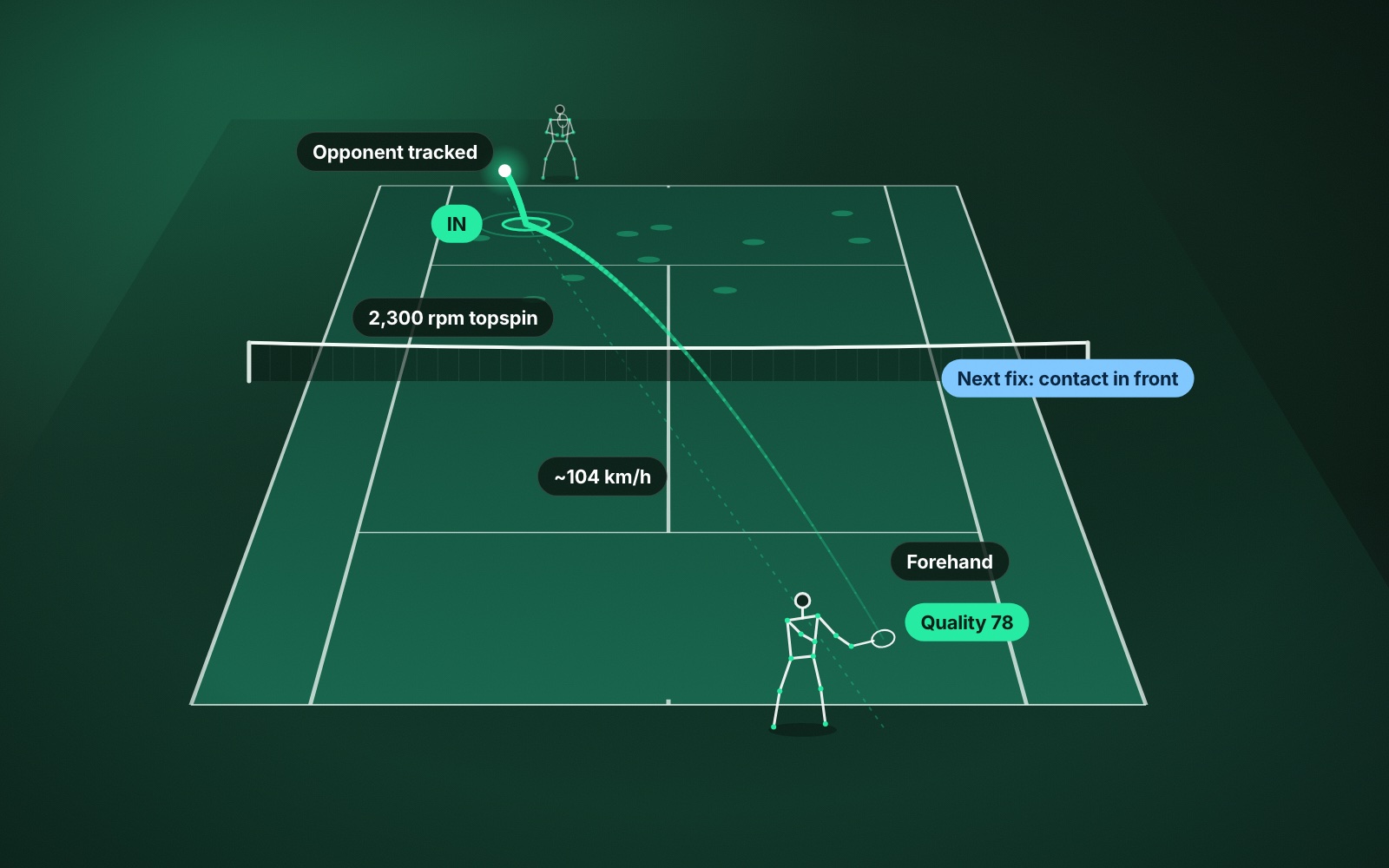
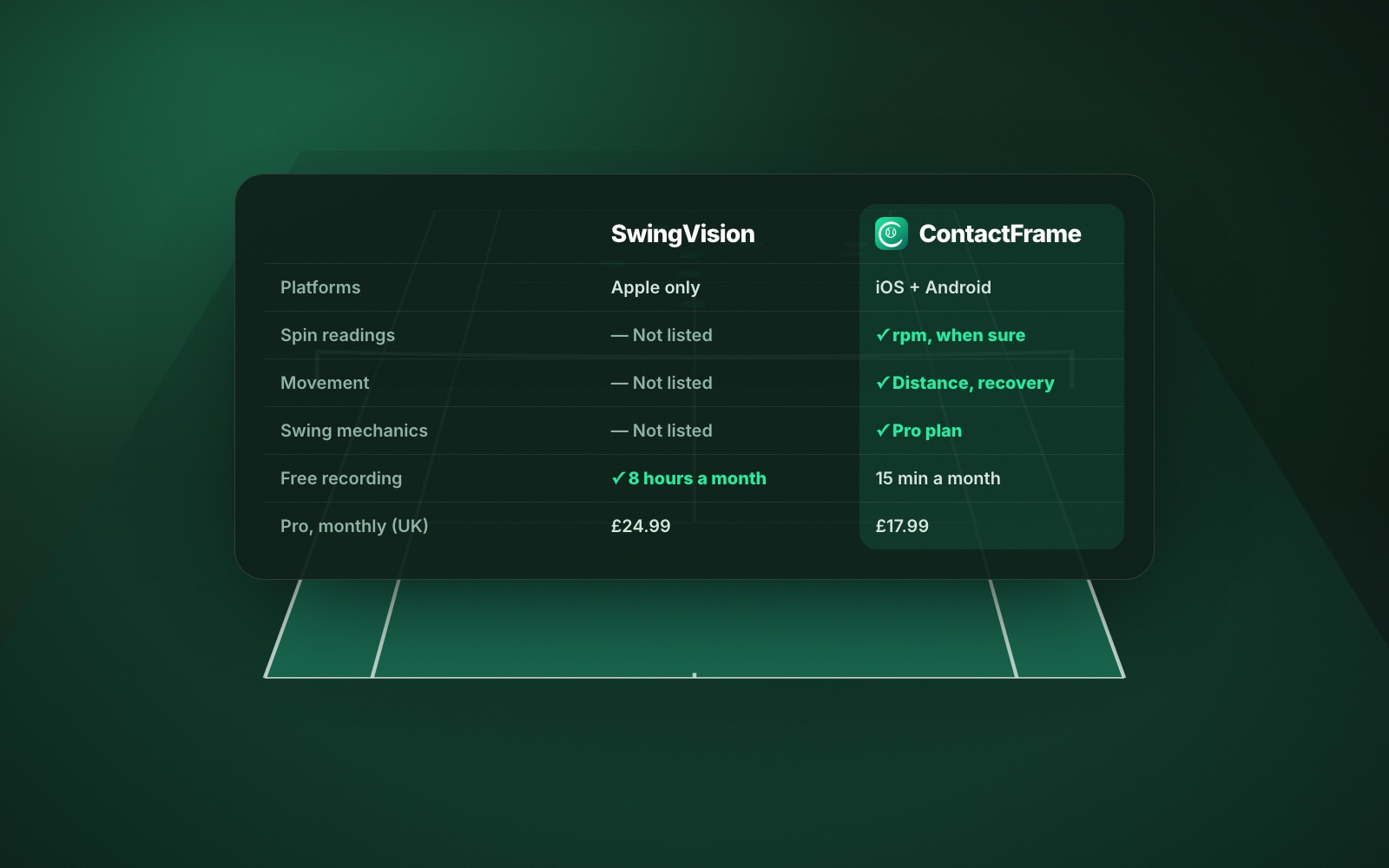
- ContactFrame’s list of insights is longer: spin, movement, shot quality and, on Pro, swing mechanics are not on SwingVision’s published feature list.
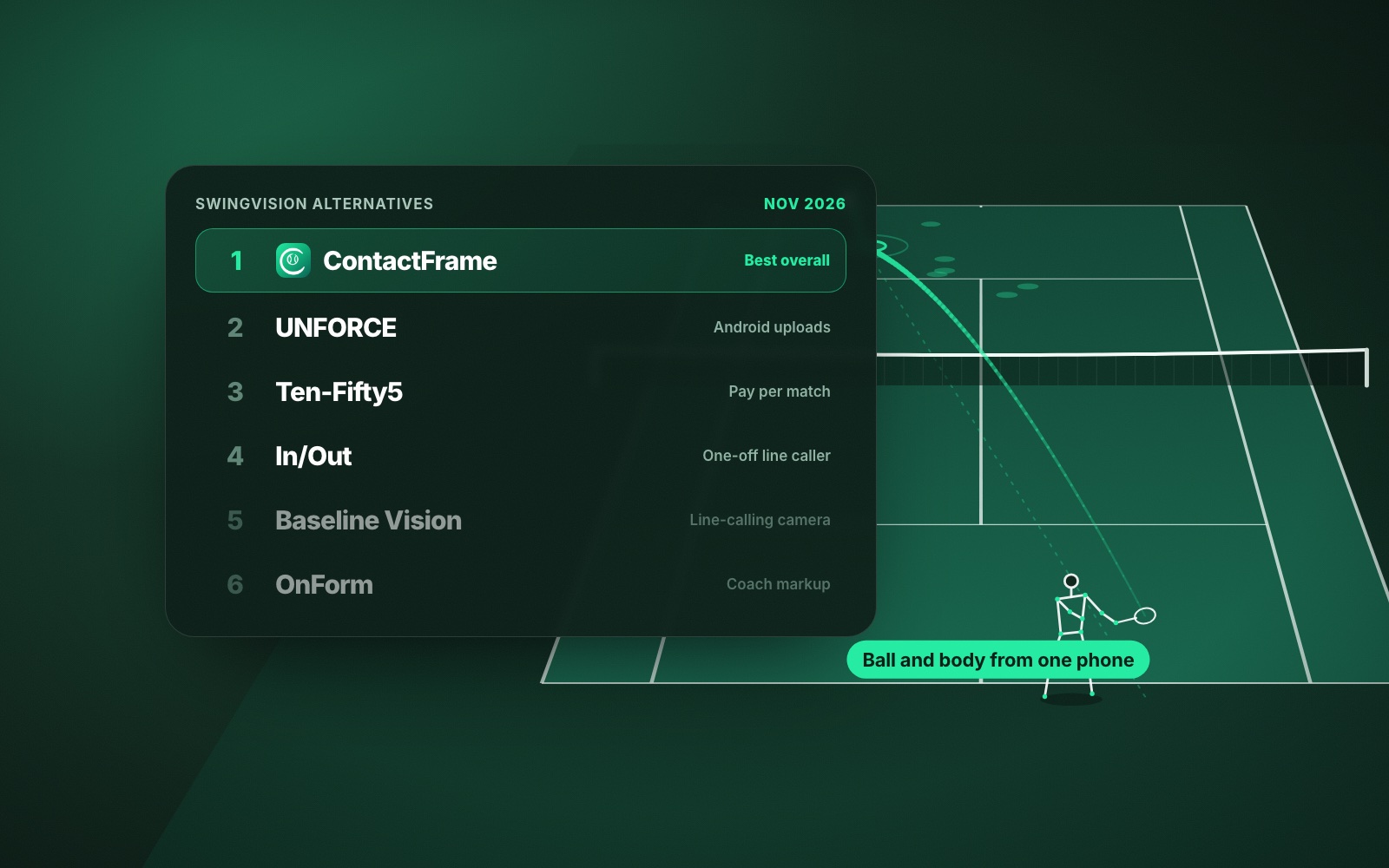
- SwingVision is Apple-only. ContactFrame is built for iOS and Android at launch.
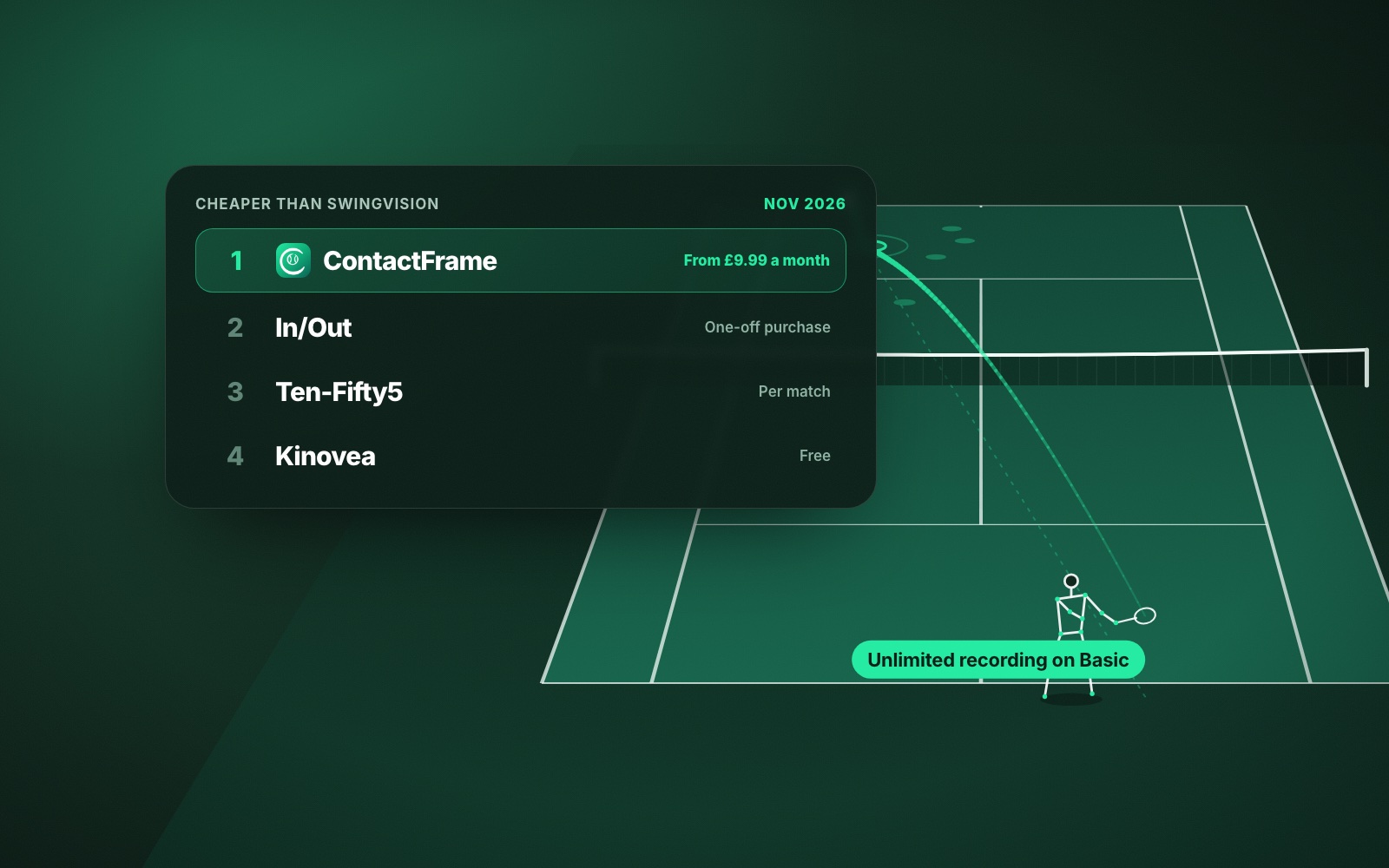
- Monthly to monthly in the UK, SwingVision Pro is £24.99 and ContactFrame Pro is £17.99. SwingVision’s annual plan is cheaper per month than its monthly one.
- SwingVision’s free tier is more generous (8 hours a month against 15 minutes), and it has an Apple Watch app, live streaming, 4K and family sharing on Max.
- ContactFrame is not out yet, and only it includes a UK ladder with leagues, tournaments and rankings.
SwingVision and ContactFrame do the same basic thing: you point one camera at the court from behind the baseline and an app turns the footage into tennis stats. If you are weighing SwingVision vs ContactFrame, the real differences are how much each one measures, which phones it runs on, what it costs in pounds and what extras come with it.
We make ContactFrame, so weigh our view accordingly. Everything we say about SwingVision comes from its own website, FAQ and UK App Store page, checked in November 2026. Prices and features change.
Who each app suits
SwingVision suits iPhone and iPad owners, especially Apple Watch users, players who want live streaming or to share a plan with family, and anyone whose tennis fits inside a free 8 hours of recording a month. It is available today.
ContactFrame suits players who want the most detail about each shot and their own movement and technique, Android owners, and UK players who also want local leagues and tournaments. It is launching on iOS and Android; you can join the list.
SwingVision vs ContactFrame: what each one measures
This is the biggest difference. Here is ContactFrame’s full list of insights, next to what SwingVision’s plan page and App Store listing describe.
ContactFrame
- Every shot: ball speed, spin in rpm with topspin or slice (shown only when the reading is solid), bounce position, in / out / close call, shot type, shot quality score out of 100.
- Every session: placement map, speed and spin by shot type, how many of each shot landed in, fastest shots, longest rallies, rally summary, winners, forced and unforced errors, close calls with replay, points won, a draft match score you can correct, session shot quality.
- Serve: first and second serves in, serve speed, landing spots on the deuce and ad sides (wide, body, T).
- Movement: distance covered, where you stood, recovery to the middle, how often you were ready when your opponent hit.
- Mechanics (Pro): body points tracked through the swing, swing scores for preparation, contact, footwork and kinetic chain, a stick-figure replay of each contact, one Next fix with a drill.
- Trends for every measure; playback with ball track, bounce marks and shot labels on the video, slow motion and jumps to serves, close calls or fastest shots.
- Match, Practice and Ball machine sessions, with optional Depth, Consistency, Topspin, Power or Placement focus.
SwingVision (as published)
- Shot stats and heatmaps for speed, depth and consistency (free).
- Video trimming that removes dead time, and highlights.
- Line calls, with real-time audio calls on free and full-court calls on Pro.
- Shot-by-shot analysis, scoring and match stats (Pro).
- Strategy insights showing your best and worst shot patterns (Pro).
- Personalised coaching tips and weekly goals (App Store listing).
SwingVision’s current pages do not list spin readings, movement measures, shot quality scores or swing mechanics. A 2021 LTA announcement mentioned spin and footwork feedback, so it is worth checking the app if those matter to you. We have not tested the two side by side for accuracy, and we make no claim about which is more accurate. For what these measures mean in practice, see the tennis stats that matter for club players.
Setup and hardware
Both need a camera behind the baseline and something to hold it.
- SwingVision: an iPhone 11 or newer on iOS 18 or later, or an iPad on iPadOS 18 or later, with a fence mount or tripod. Its US site currently bundles its own Swing Stick mount with annual Pro or Max. An Apple Watch is optional.
- ContactFrame: any supported phone in landscape on a tripod, two to three metres behind the baseline, at around net height or higher, with the whole court in view and not facing the sun. You line up the four court corners on screen, then leave the phone where it is.
Neither needs sensors or court hardware. Our guide to the best phone setup for filming tennis applies to both.
Platforms: Apple-only vs iOS and Android
SwingVision runs on iPhone, iPad, Mac, Apple Watch and Vision Pro. It has no Android app. Its FAQ says it is working with Google engineers on one, with no date, and suggests a second-generation iPhone SE or importing Android footage into the Mac or iPad app meanwhile.
ContactFrame is built for iOS and Android at launch. That matters if you play with a partner on the other platform, or if you simply own an Android phone. More options are in SwingVision alternatives for Android.
SwingVision vs ContactFrame price in the UK
Comparing monthly plans with monthly plans, from the UK App Store and ContactFrame’s own pricing, checked November 2026:
- Free: SwingVision gives 8 recording hours a month, with recordings kept for 7 days. ContactFrame gives 15 minutes a month. SwingVision’s free tier is far more generous.
- Entry paid plan: ContactFrame Basic is £9.99 a month with unlimited recording. SwingVision also lists a Plus plan at £14.99 a month in the App Store, but its website does not say what Plus includes, so we cannot compare it.
- Main paid plan: SwingVision Pro is £24.99 a month with 30 recording hours. ContactFrame Pro is £17.99 a month with unlimited recording and shot mechanics.
- Top plan: SwingVision Max is £39.99 a month with 60 recording hours, 4K and family sharing.
SwingVision also sells annual plans: Pro is £179.99 a year, which works out cheaper per month than its own monthly price and cheaper than ContactFrame Pro’s monthly price. ContactFrame has no annual plan yet. The full breakdown, including the US promotion, is in SwingVision price in the UK, and ContactFrame’s plans are on the pricing page.
Extras SwingVision has
SwingVision has features ContactFrame does not, and they are worth knowing about:
- An Apple Watch app: camera preview, start and stop recording, challenge calls with slow-motion replay, manual scoring.
- Live streaming.
- 4K video and family sharing for up to five people on Max.
- Raw data export on Pro.
- HealthKit workouts, pickleball, and a club product called Swing Court.
ContactFrame has no Watch app, no live streaming and no doubles analysis, and its in/out calls are for review rather than official line calling.
What ContactFrame adds: The Ladder
ContactFrame is two apps in one. Alongside the video analysis in The Lab, The Ladder gives UK players local competition: a Skill rating built from confirmed results, leagues placed at your level, knockout tournaments seeded by Skill, friendlies, rankings from your home court to the country, and a map of 1,300+ UK courts. Joining the ladder, friendlies, rankings and the court finder are free. Read how the Skill rating works or see The Ladder.
So the video tells you which shot cost you the match, and the ladder gives you the next match to fix it in.
Verdict: SwingVision or ContactFrame?
Choose SwingVision if you own an iPhone or iPad and want an app today, you use an Apple Watch, you want live streaming, 4K or a family plan, or 8 free hours a month covers your tennis.
Choose ContactFrame if you want spin, movement, shot quality and swing mechanics as well as speed and placement, you own an Android phone or play with someone who does, you want unlimited recording for £9.99 a month, or you want local leagues and tournaments in the same app. It is launching on iOS and Android, so join the list. For the wider field, see our SwingVision alternatives.
Common questions
Is SwingVision better than ContactFrame?
It depends what you want. SwingVision has a bigger free tier, an Apple Watch app and live streaming, and you can use it today. ContactFrame lists more insight per shot, including spin, movement, shot quality and swing mechanics, runs on Android as well as iPhone, and its paid plans cost less when you compare monthly with monthly.
Does SwingVision work on Android?
Not as an app. SwingVision’s FAQ says it is working with Google engineers on Android but gives no date, and suggests a second-generation iPhone SE or importing footage into its Mac or iPad app meanwhile.
Does SwingVision measure spin?
Spin is not on SwingVision’s current plan page or App Store feature list, as checked in November 2026. A 2021 LTA announcement mentioned spin, so check the app itself if it matters to you.
How much does SwingVision cost per month in the UK?
In the UK App Store, SwingVision Pro is £24.99 a month or £179.99 a year, and Max is £39.99 a month or £299.99 a year. There is also a free tier with 8 recording hours a month.
Can I use ContactFrame now?
Not yet. ContactFrame is launching on iOS and Android and has a waitlist. If you need an app this week and own an iPhone, SwingVision’s free tier is a sensible place to start.
See every shot, not just the score.
ContactFrame is launching on iOS and Android. Join the list to hear first.
See The Lab